

Teach
Spot stalled students and remind them to continue
See exactly which students need your help and send quick reminders to those who stalled part-way through a lesson. You can also export your filtered student lists to CSV.
What’s changed
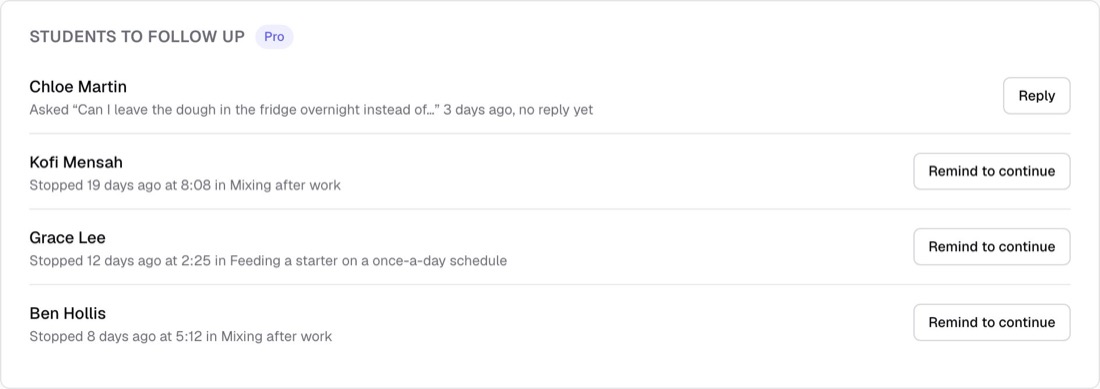
Insights now highlights students who are waiting for replies, stuck on quizzes, or quiet for over a week, with direct actions to help them re-engage.
Who gets itPro schools
How it works
- Open Insights to review the Students to follow up card.
- Click Reply to answer waiting questions, or see quiz attempts for stuck students.
- Click Remind to continue to email stalled learners a link that resumes five seconds before they left off.
- Go to Students and click Download CSV to export your filtered student records.
Good to know
- Every plan sees where students stop and each student's watch bars. Students to follow up, Remind to continue and Download CSV are Pro.
- The reminder comes from your school, in your school's name, and opens the video five seconds before where that student stopped.
- Nobody is reminded about the same lesson twice in a week, students who unsubscribed are skipped, and a school sends at most 500 a day.
- Turn the reminder email off or on in Students › Emails. Collaborators cannot send reminders or download the CSV.
- Students are never reminded about a course they can no longer open.