From the offer to the first lesson.
Build an offer, set up a checkout,
and collect payments in a couple of clicks.
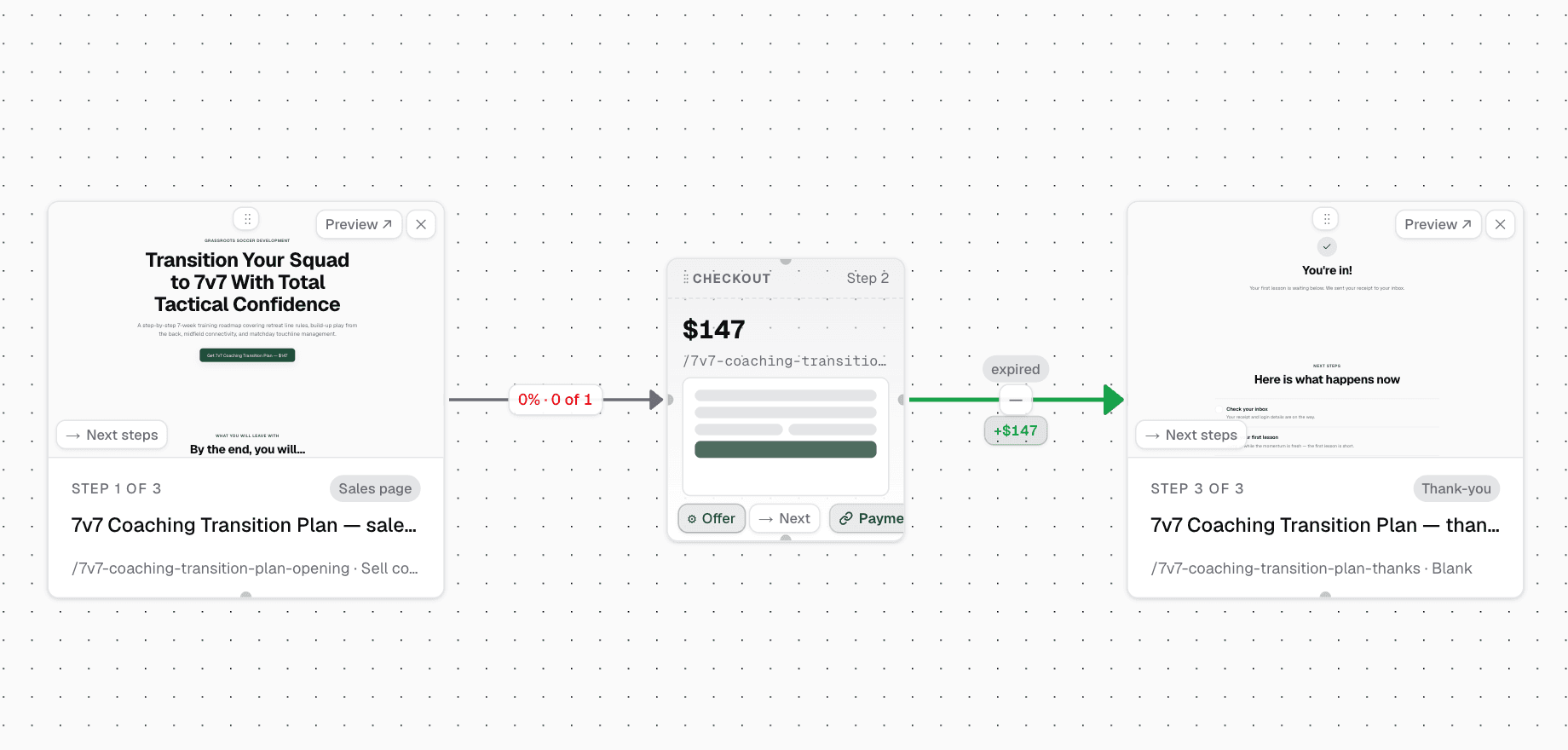
Knola makes building an offer easy. With our integrated payment system you can have checkouts online and ready to accept payments in minutes.
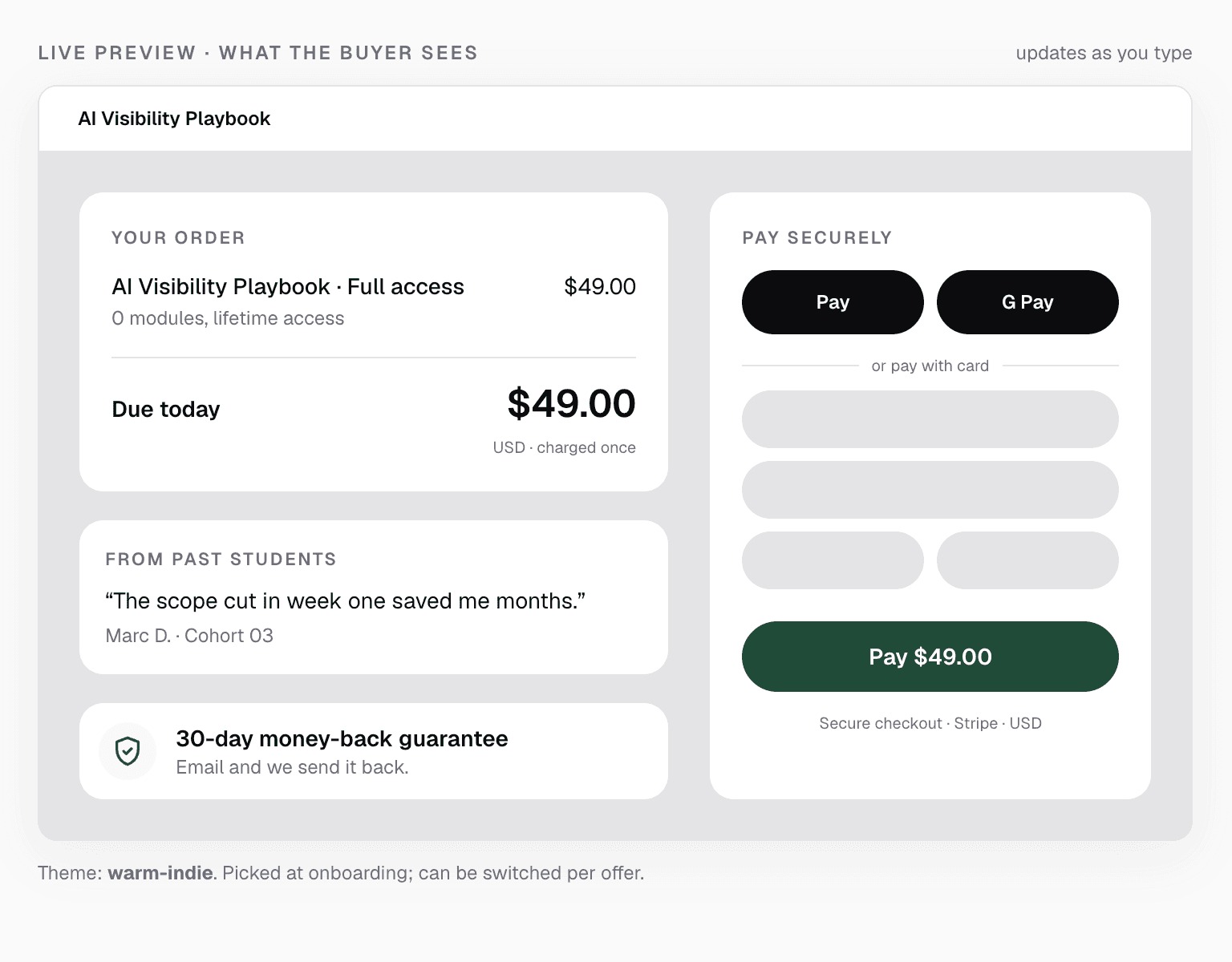
Checkout design preview with example content.
- Stripe payments
- Flexible pricing
- Coupons & offers
- Course access handled
- Abandoned Checkout Emails
Live from Knola · updated daily
- courses built on Knola
- 1,200+
“It’s helped me create my first course, and without the worry of having to pay every single month whilst I build out my marketing.”
A purchase is the start of learning
Connect payment to the course.
Define what the buyer receives, choose the price and let the native checkout carry that access through the purchase.
- 01
Package the offer
Choose the course tiers included in the offer. Set a one-time price, subscription or payment plan to suit what you are selling.
- 02
Connect your payments
Connect Stripe and sync the offer. Use a payment link or connect the offer to a funnel checkout.
- 03
Give the buyer their access
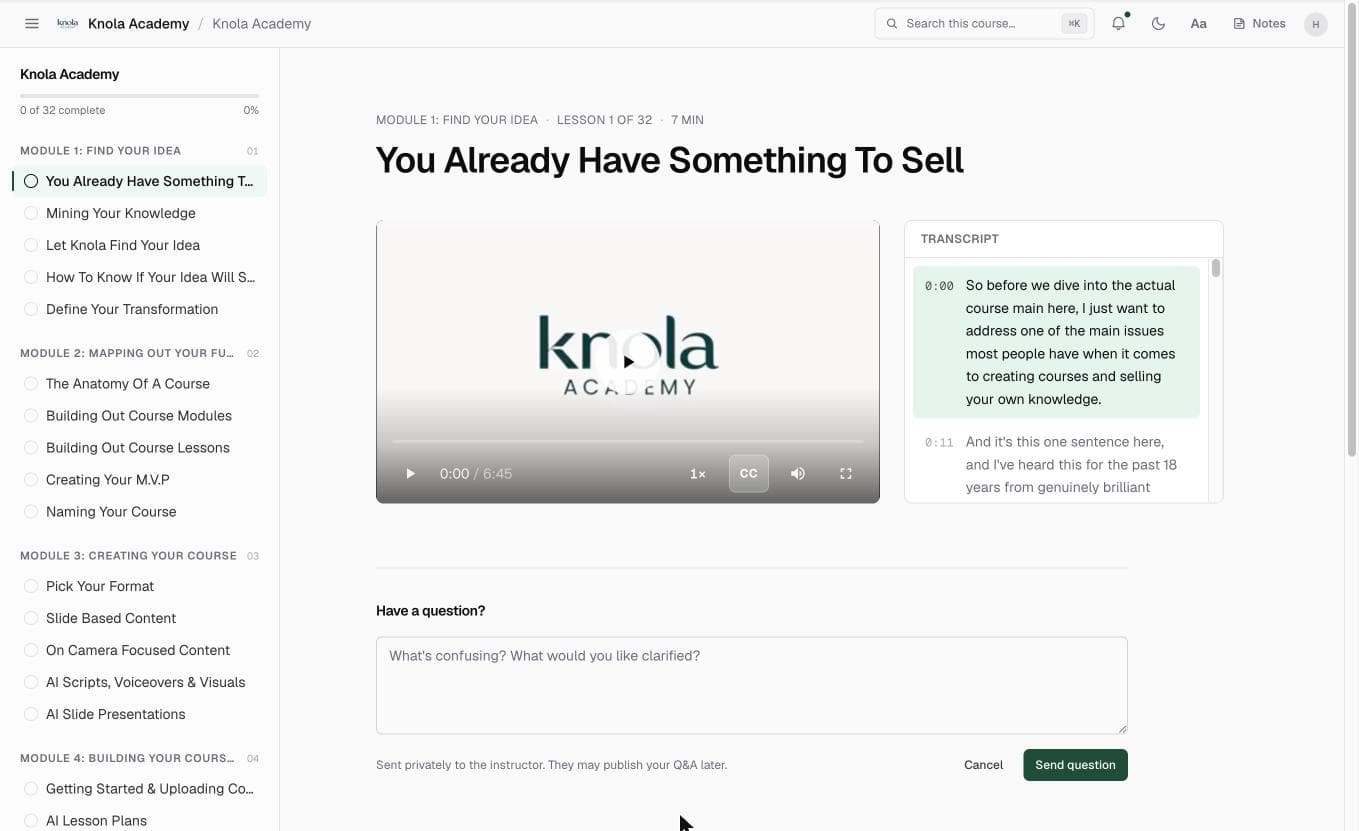
With Knola checkouts, buyer access is handled automatically. Customers get access to the courses they buy as soon as their payment is complete.
The sale should not create another admin job.
Buyers need to know where to go next. Native Knola checkout connects the purchase to the correct course access and the email that helps them get started.
You can still manage access when circumstances change. Refunds, disputes and manual access changes have their own controls, so you can follow the right process for the situation.
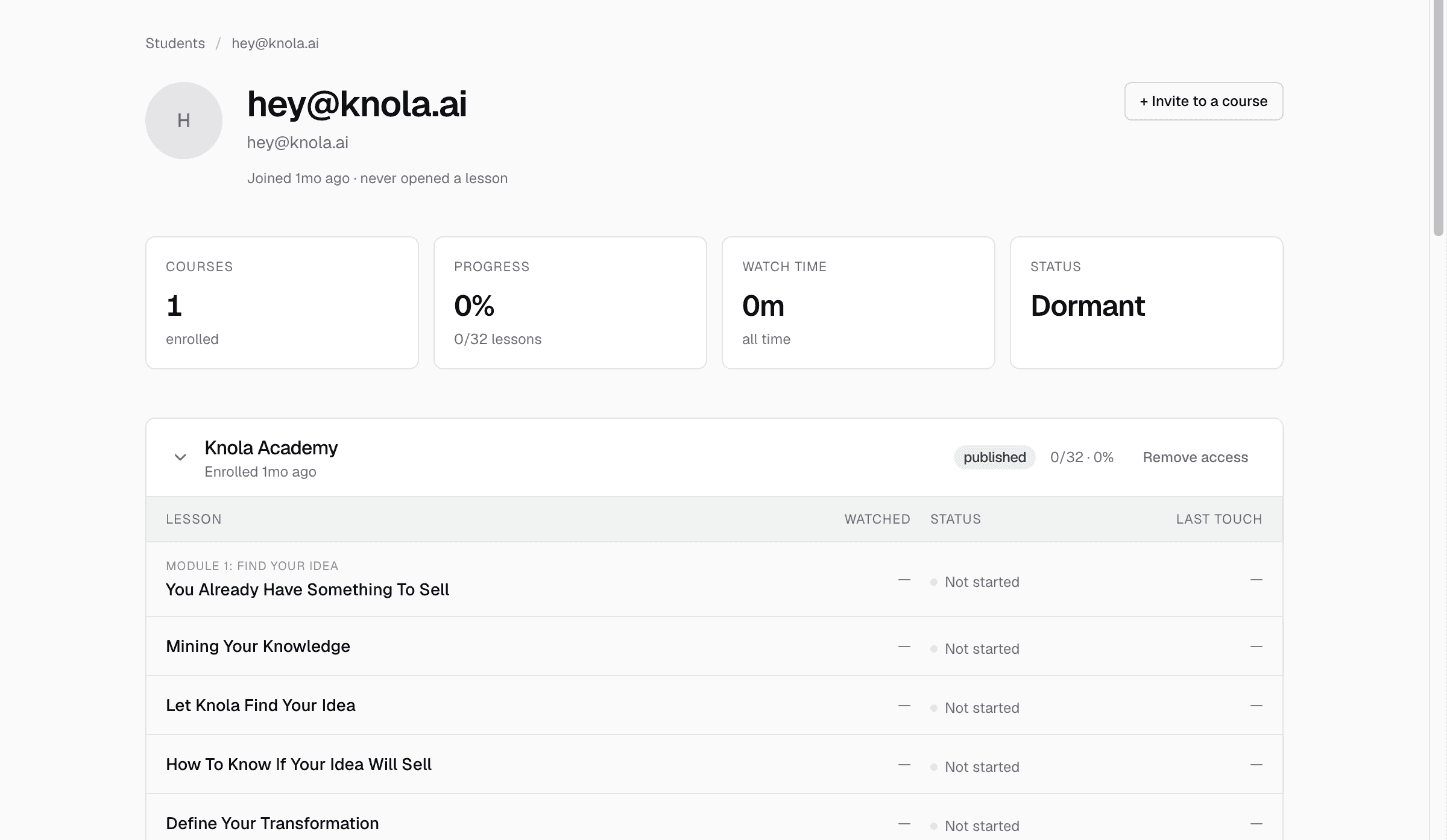
Follow the buyer’s access journey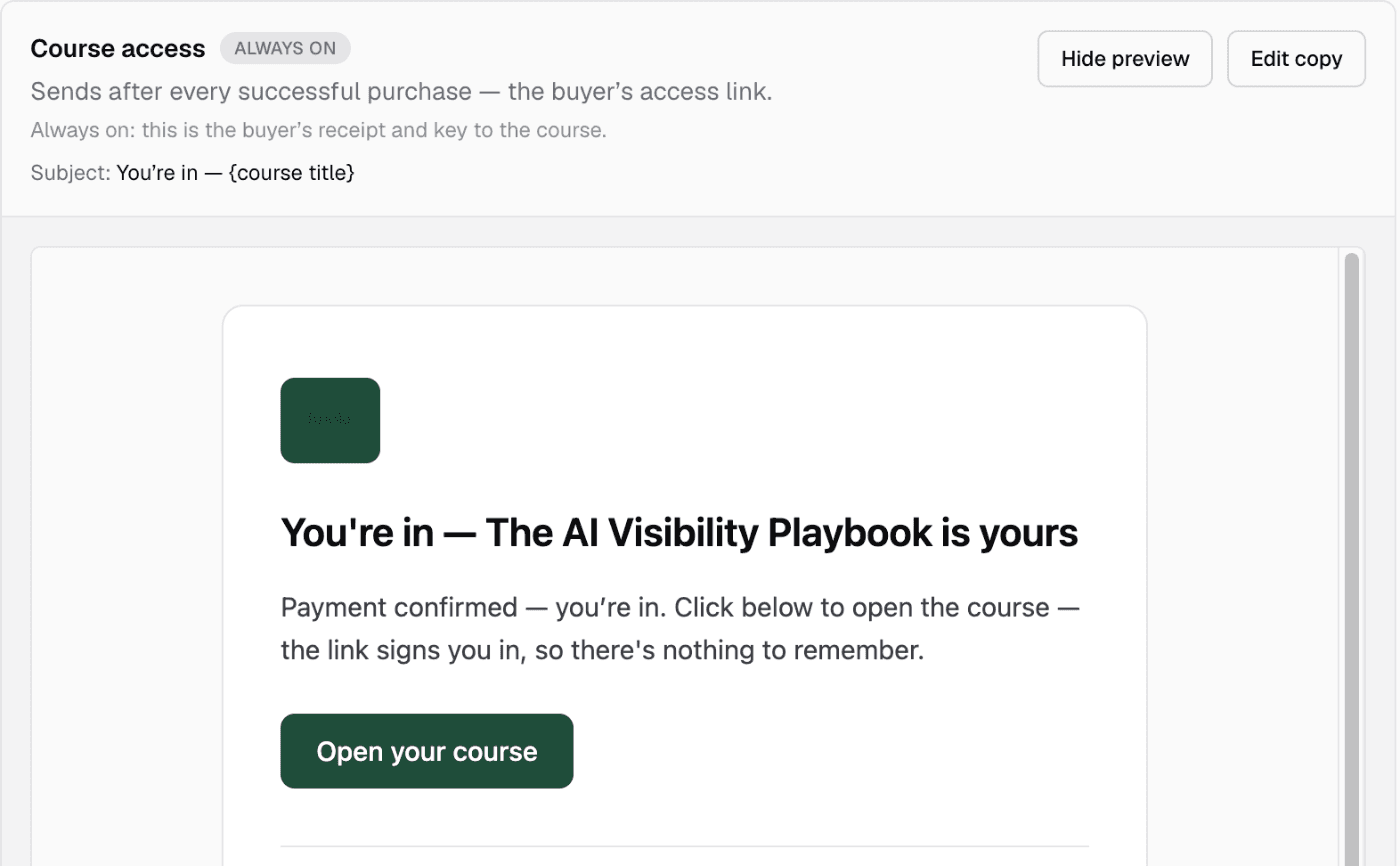
Choose how your course is sold.
The price, payment method and delivery should all match the offer you make.
One-time payments
Sell access for a single payment using a native course offer.
Subscriptions and plans
Use recurring pricing or split-payment offers where they fit your course.
Coupons
Create discount codes for a promotion or a specific audience.
Payment links
Share an offer directly or use it as the checkout destination from another page.
Checkout recovery
Use abandoned-checkout recovery to follow up on eligible incomplete purchases.
Your existing checkout
Link to an external payment page and arrange access with a join link or your own delivery process.
Your checkout. Your choice.
Bring your own payment link.
You don’t have to use Knola checkouts. Bring a payment link from any provider you prefer and connect it to your course. If you already have a checkout that works for you, keep it.
0%
Knola fee
On sales through your own checkout. Your provider’s fees still apply.
 Stripe
 PayPal
 Lemon Squeezy
 Gumroad
 Square
 Paddle
These are just examples. Any hosted payment or checkout link can be used.
Your provider takes the payment. Knola hosts the course.
Add your Knola course join link to your provider’s payment confirmation or delivery email. Once they’ve paid, customers follow that link to get access to their course.
“I believe Knola is the future platform of online education: powerful, intelligent, accessible, and created with both the teacher and the learner in mind.”

Joy Hauʻoli Sutherland
Co-Founder of LVH Brands
“I’ve tested many course platforms over the past few years and never found one that I liked. The ability to create different types of course materials with AI is what initially caught my attention with Knola. Since signing up, the whole platform has felt so good to use and I now have 3 courses fully online. Amazing.”

Chris Walker
Creative Worlds
“What I love most about Knola is how easy it makes the course-creation process, but even more importantly, the support. When I have a question or need help figuring something out, I feel like there are real people who want to help, not just a support ticket system.”

Lori Kantor
Universal Educational Services“Investing in Knola has been the best decision ever for my creative learning business. I produce lots of content for my students and I needed a way to make it easy for them to access. Knola makes it easy to get my content online, and I love the AI written tools that let me turn my recordings into written lessons too.”
Carol Rodriguez
Creative design lecturer
“What sold me wasn’t just the platform, it was the people. I asked a question expecting to wait days and got a real, helpful answer within the hour. You can tell Knola is built by people who actually want you to succeed, not just take your money.”
Sophie Richards
PeaceLoveSerenity
“I’d been sitting on my course idea for nearly two years, convinced I’d get around to it one day. I’d written a couple of books before but never sold an online course. I came across the Knola offer and my experience so far has been great. I wish I had found it sooner.”
Richard A
Business Owner
“I love how Knola combines the ability for me to upload my own course material, whilst also giving me the option to produce more from it with the AI tools. It’s a solid platform with great support.”
James T.
Course creator
“I would recommend Knola to anyone wanting to host a course online. My students have even commented on how easy it is to use and it has saved me a lot of money.”
Kristian B.
Course creator
Free · about 10 seconds
See the course Knola would build for you.
Type what you do or know. Knola shows you a course you could sell, with its full outline. No card, no account.
Ready now? Get Knola Studio →
FAQ
A few things you might be wondering.
How do I take payment for a course?
Connect Stripe, configure and sync an offer, then share its payment link or connect it to a funnel checkout. The offer defines the access the buyer receives.
Does Knola support subscriptions and payment plans?
Yes. Offers support one-time, subscription and payment-plan pricing. Choose the model and review its setup before making the offer live.
Are there payment fees?
With a Knola licence, Knola checkouts and automated payments carry a 7.5% Knola fee. On an active Knola Pro subscription, that fee is 0%. Stripe processing fees are separate. If you use your own external checkout, Knola takes no fee on those sales; your payment provider’s fees still apply.
Can I keep using my existing payment provider?
You can send buyers to an external checkout. That provider handles payment; you need to arrange the course access step, such as including a Knola join link in your delivery.
Turn a course into an offer people can buy.
Set the price, connect checkout and give every buyer a clear path into the course.
Get Knola StudioPay once · No monthly fee · 30-day money-back guarantee
Not sure yet? Try it free →