
Here's how buyers get access to your course
Follow a purchase from payment to first lesson: the access email, the one sign-in, and how Knola holds a sale safe for buyers who take their time.

 By Knola5 min read
The moment someone pays, delivery is Knola's job. This page walks the chain (purchase, access email or join link, one sign-in, course in their account) so you know exactly what your buyer experiences and what happens when one goes quiet.
The chain at a glance
- They pay: through Knola checkout, a funnel, or your own processor.
- They get a way in: an access email with a one-click link, or the join link you put in your own confirmation.
- They sign in once: email and password, Google, or a magic link.
- The course is in their account: alongside every other purchase from any Knola school, forever.
Knola checkout: the access email
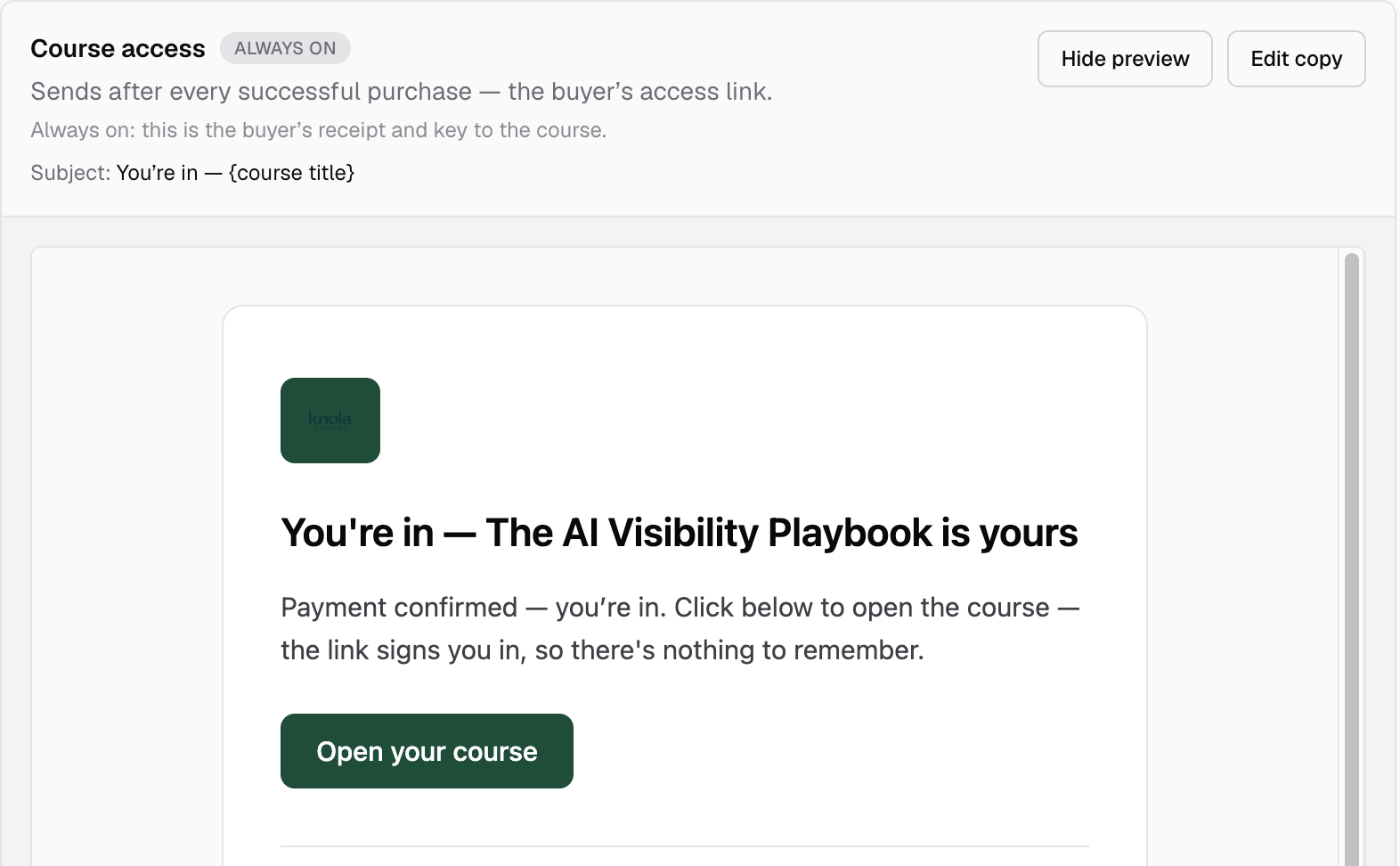
On every completed sale through Knola's own payments, the buyer immediately gets an access email in your school's branding (subject "You're in — [course title]") carrying a one-click link that signs them in and lands them in the course. A buyer who already has a Knola account gets a magic link to that account; a first-time buyer gets a first-sign-in link that creates the account on the way through, with a set-a-password fallback. A buyer who was signed in while paying skips even that: enrolment is instant.
Your own checkout: the join link
When you sell through your own processor, Knola doesn't see the sale, so delivery is the invite link you paste into your processor's payment confirmation. The buyer clicks it, signs in once on the join page, and is enrolled automatically. Same destination, one extra click.
Why the one sign-in matters
A buyer signs in once: password, Google, or a magic link all reach the same account, matched by email address. That account is theirs across all of Knola: every course they buy from you, and from any other Knola school, lives in the same place. No per-course passwords, and nothing for you to support beyond "click the link in your email".
The sale is safe before the sign-in
When a buyer without an account pays and doesn't sign in right away, nothing is lost. Knola holds the purchase as a pending enrolment against the email they paid with: courses, price paid, and purchase date all recorded as they were on the day. Whenever they first sign in with that address, days or months later, the enrolment is created automatically, and your revenue reporting keeps the original purchase date, not the day they finally showed up.
Taking access away, and giving it back
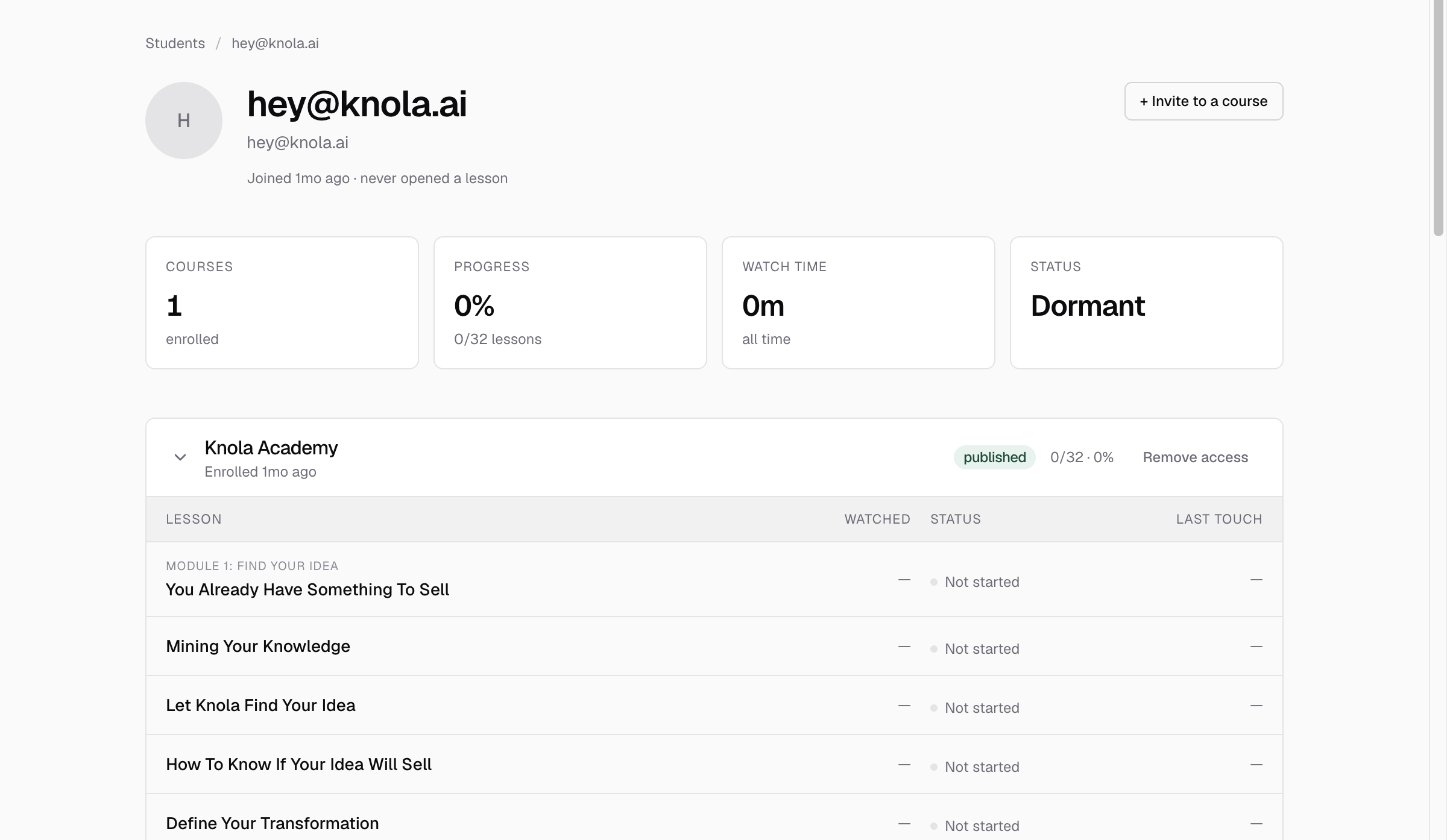
Refunds happen. On the student's detail page under Students, Remove access cuts one course immediately, with an optional private note for your records. Removal is sticky by design: a removed student can't slip back in through a shared invite link. If you change your mind (or the payment dispute resolves), Restore access reverses it in one click. Step by step: removing and restoring access.
When a buyer never claims
A paid-but-never-signed-in buyer isn't a lost sale. The pending enrolment waits indefinitely, and the access email in their inbox stays their way in. If someone writes to you saying they "never got access", the fix is almost always one of two things: point them back at that email's button, or add their email directly, which re-sends an access email and, if they used a different address at checkout, delivers to the one they'll actually sign in with.
Does a buyer need to create an account before purchasing?
No. They pay first; the access email or join link creates the account as part of their first sign-in. A buyer who already has a Knola account just gets signed straight in.
A buyer says they paid but has no access. What do I check?
First, the access email (subject "You're in — …"). Its button both signs them in and opens the course. If they signed up with a different email than they paid with, add the address they actually use via Add students and they're in immediately.
If I refund a buyer, do they keep the course?
Only until you act: use Remove access on their detail page. It takes effect immediately, blocks re-entry via existing invite links, and stays reversible through Restore access.