How to use your own payment processor
Point your course at any checkout link, such as PayPal, Lemon Squeezy or Gumroad, and Knola delivers the course after every sale, with a 0% platform fee.

 By Knola4 min read
Knola never locks you into its own payment rail. If it has a checkout URL, you can connect it: any processor, platform or payment page works. Point your course at the link and deliver access with a join link, and you keep 100% of every sale.
Open the course you want to sell
In your admin, go to Courses and click the course.
Click "Edit details"
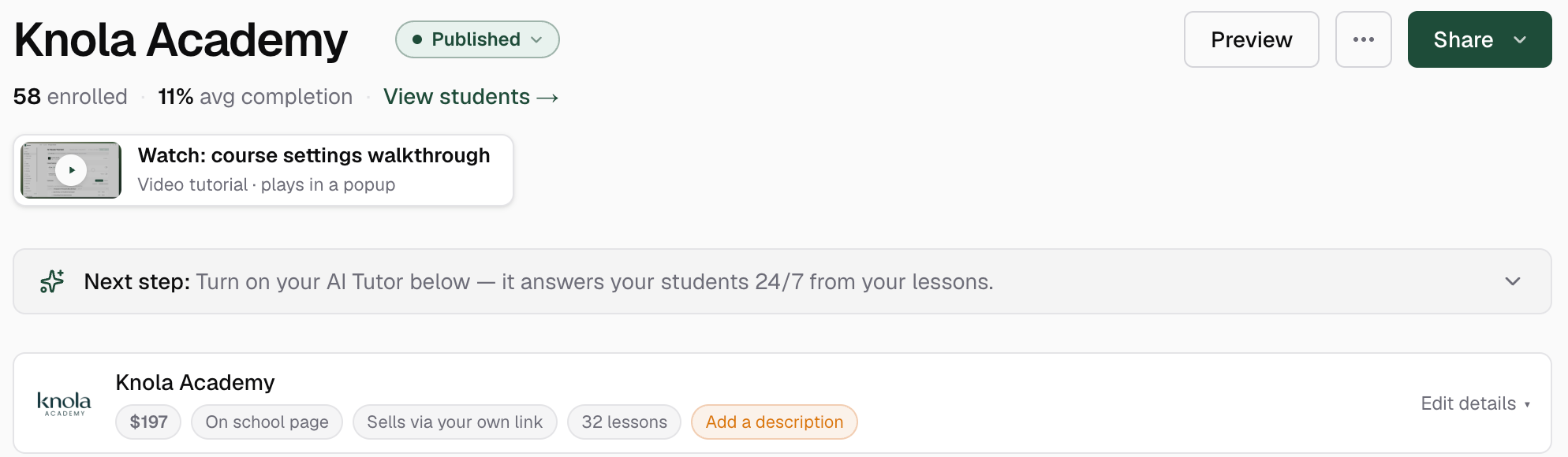
Near the top of the course page, under the video chip and the next-step strip, sits the details strip: your course name with its price and status pills. Click Edit details on its right-hand side to expand the pricing and checkout controls.
Switch how buyers pay to "Your own link"
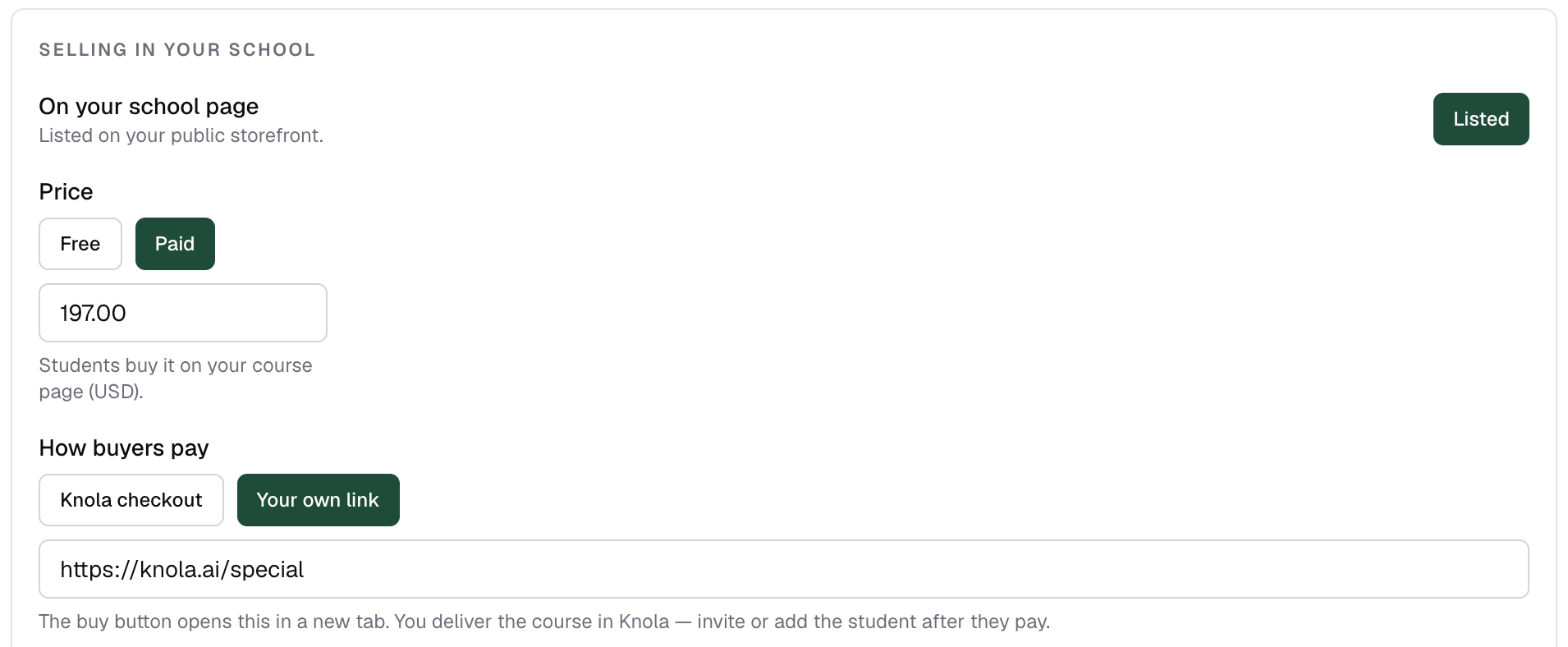
In the expanded details, set the course to Paid, then under How buyers pay choose Your own link instead of Knola checkout. The status pill on the course changes to Sells via your own link.
Paste your checkout URL
Paste the link your checkout provider gives you. If it has a URL, it works: a Stripe payment link, a Lemon Squeezy product, a PayPal button, a Gumroad page, or anything else that takes payment. Every buy button on your sales page and school page now sends buyers there.
Put your join link in the payment confirmation
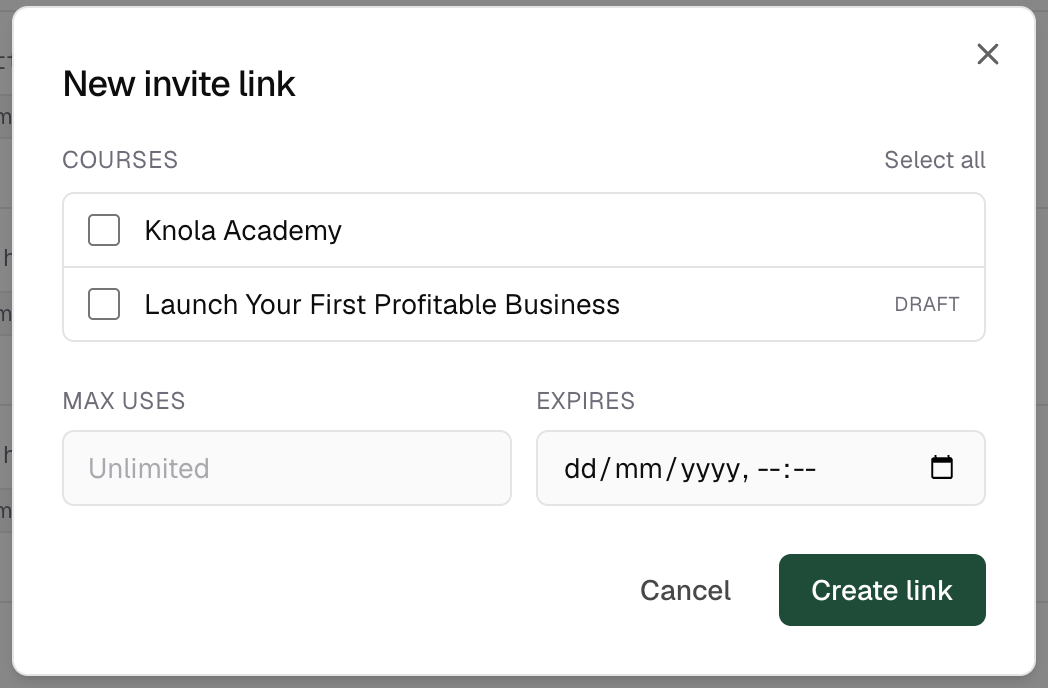
Create an invite link under Students → Invites and paste it into your processor's payment confirmation email. Buyers click it, sign in to Knola once, and land straight in your course.
Test it end to end
Run a small test purchase through your processor, click the join link in the confirmation email, and check you land in the course as a student. Two minutes now saves refund emails later.
Can I use PayPal with Knola?
Yes. Any processor that gives you a checkout URL works. Paste it as your external checkout link and deliver access with a join link.
How do students get access after paying elsewhere?
Through the join link in your payment confirmation. They sign in to Knola once (email, Google or magic link) and the course appears in their account. Every future purchase from any Knola creator lands in the same place.
Does Knola take a fee on external sales?
No. The 7.5% platform fee only applies when you use Knola-automated payments through Stripe, and Knola Pro drops that to 0%. Sales through your own processor are entirely yours (minus whatever your processor charges).