
See what sells. Know what to improve.
Sales and funnel analytics that help you
make more of every offer.
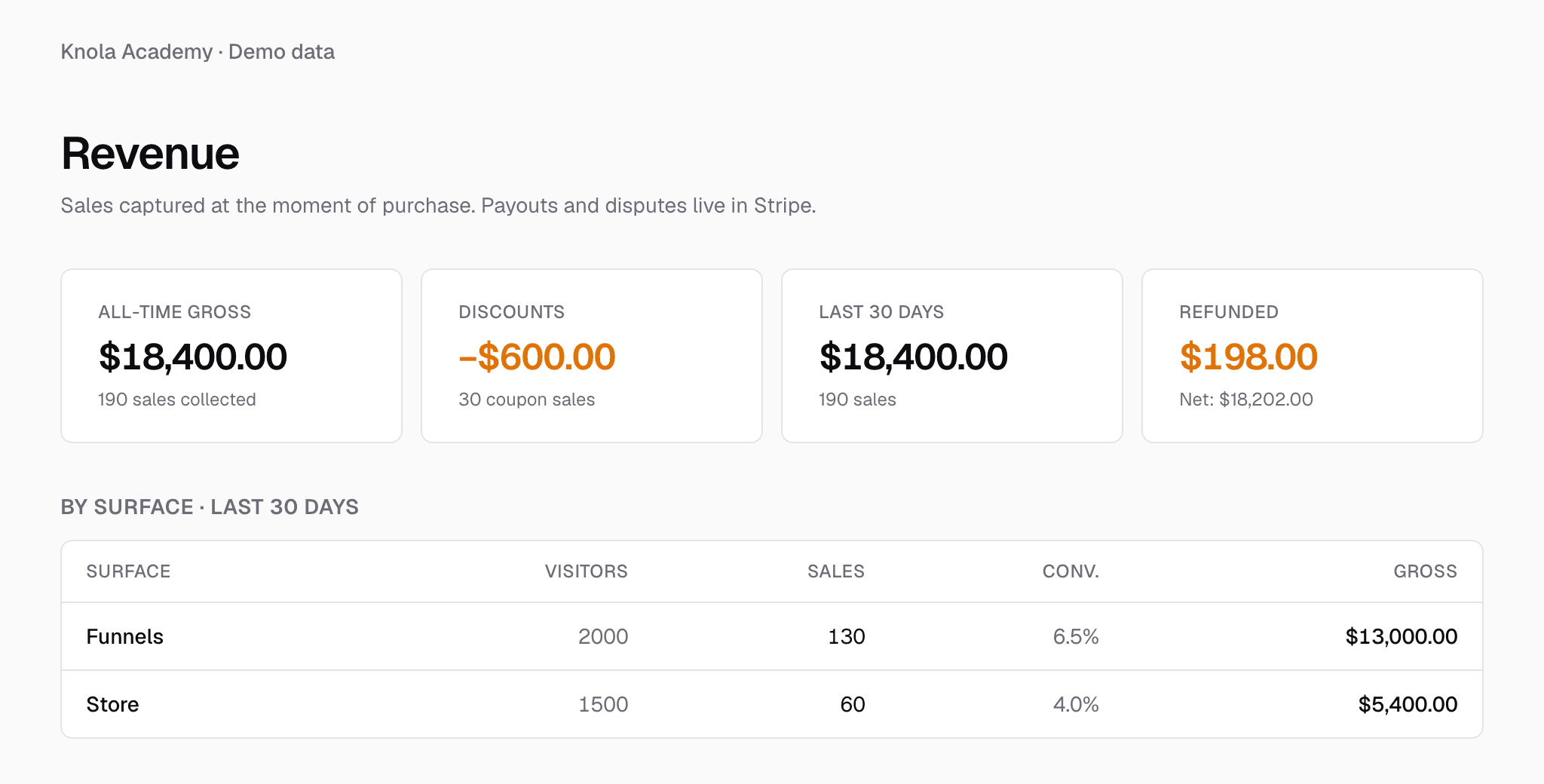
See what your Knola checkouts are earning and how your funnels turn visitors into buyers. Track sales, compare your offers and see what bumps, upsells and downsells add, so you know where to focus next.
- Checkout revenue
- Funnel conversions
- Revenue per visitor
- Bumps, upsells & downsells
- Refunds & discounts
Live from Knola · updated daily
- courses built on Knola
- 1,200+
“I’ve tested many course platforms over the past few years and never found one that I liked… I now have 3 courses fully online. Amazing.”
 Chris WalkerCreative Worlds
From a completed checkout to your next improvement
Know what is working. Build on it.
Knola brings the numbers back to the offers and funnels you create, making it easier to see what earns its place.
- 01
See the sales come in
Knola records completed checkout sales, with revenue totals, refunds and a daily view of what you are earning.
- 02
Follow the buying journey
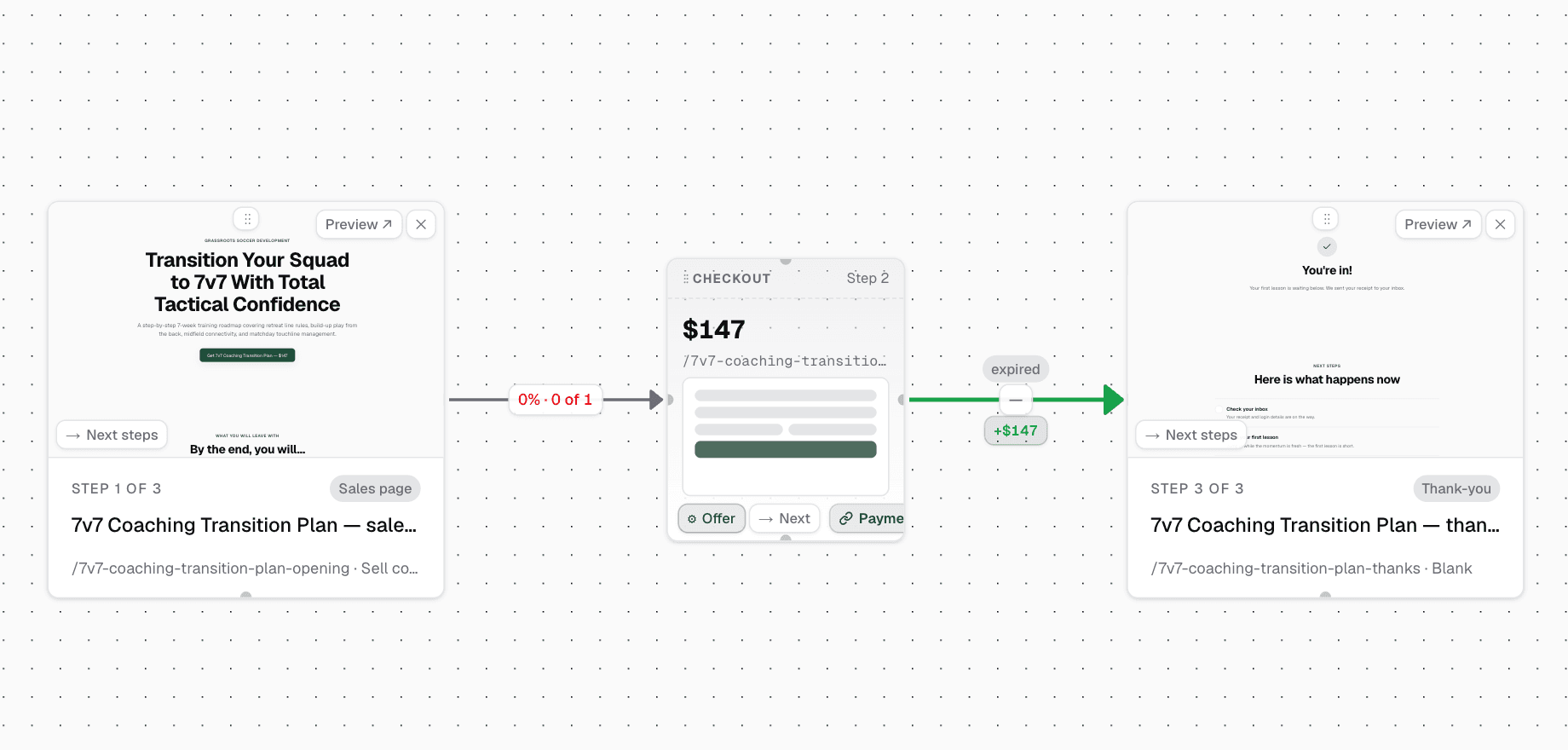
See conversion numbers between funnel steps and how each offer contributes to your funnel’s revenue.
- 03
Improve the next offer
Compare take rates and revenue per visitor to decide where a stronger offer or clearer page could help.
See what every extra offer adds.
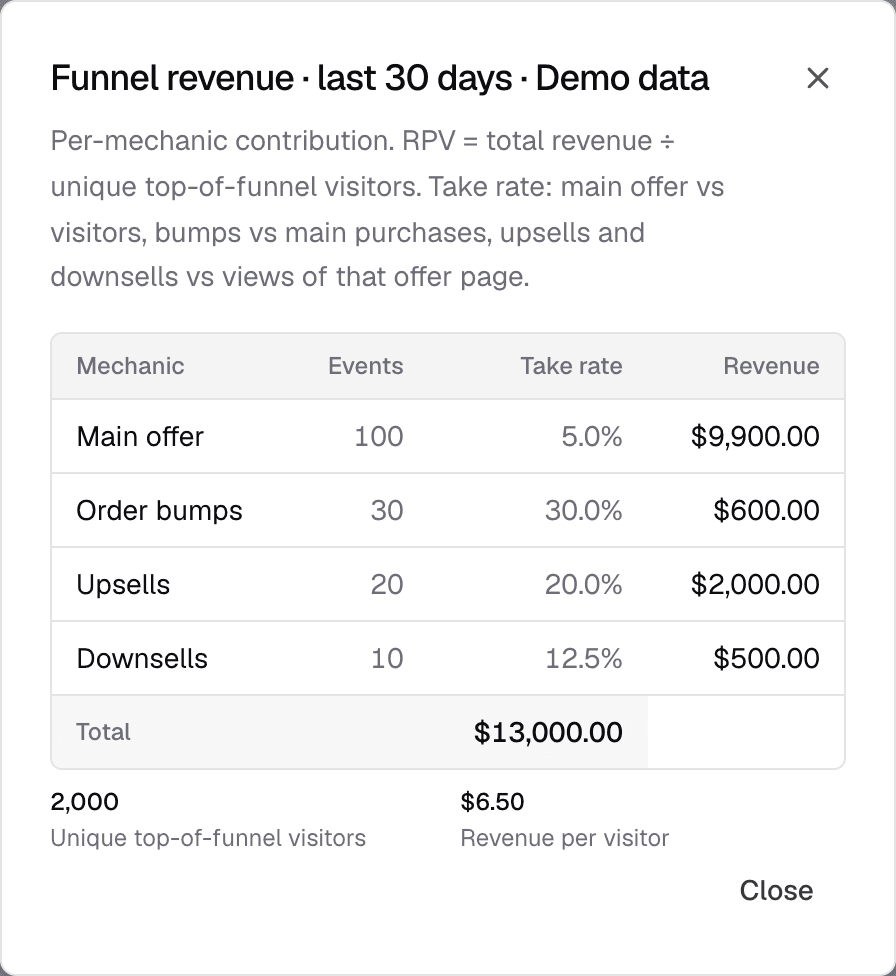
Your main offer is only part of the picture. Knola shows how much your order bumps, upsells and downsells contribute, alongside the number of purchases and take rate for each.
Revenue per visitor brings it together: how much your funnel earns for each person who arrives. You can see which offers people accept and where there may be room to make the buying journey work harder.
The numbers behind your next sale.
With Knola checkouts, you can see more than a payment notification. You can understand where sales come from and what your offers are earning.
Sales and revenue together
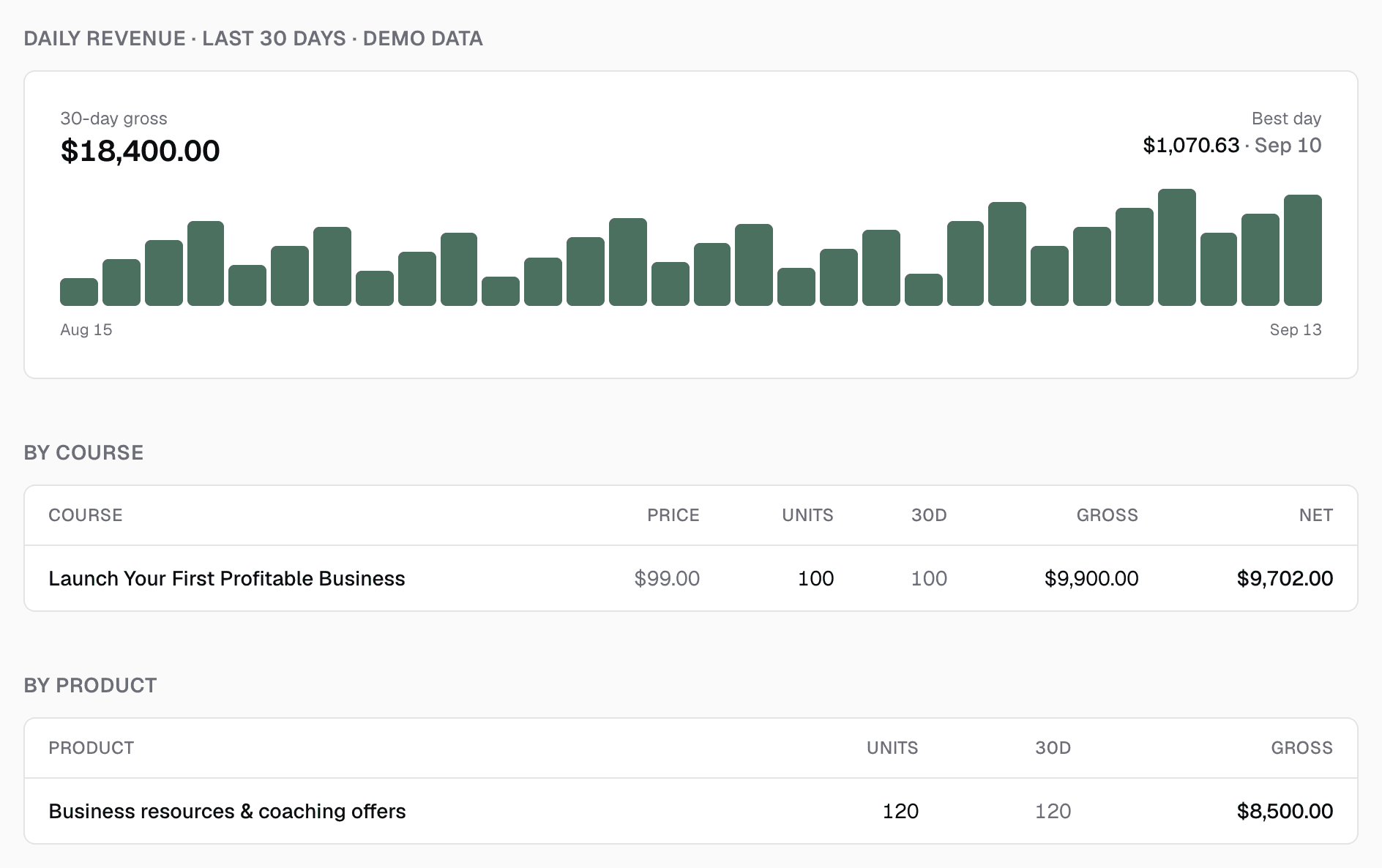
See all-time gross, recent revenue and sale counts, with a daily trend that makes busy days easy to spot.
Know where buyers convert
Compare visitors, sales, conversion rates and gross revenue across the selling surfaces with recorded activity.
Understand each funnel
See conversion rates between steps, revenue per visitor and the contribution from each type of offer.
Follow recorded campaign sales
Use tagged links to see revenue by campaign source where attribution is recorded, helping you understand which traffic brings sales.
See discounts and refunds clearly
Review refund totals, gross minus refunds and each coupon’s uses, discount value and revenue.
Find the products that earn
See course and product revenue breakdowns so you can understand what people are buying from you.
“I believe Knola is the future platform of online education: powerful, intelligent, accessible, and created with both the teacher and the learner in mind.”

Joy Hauʻoli Sutherland
Co-Founder of LVH Brands
“What I love most about Knola is how easy it makes the course-creation process, but even more importantly, the support. When I have a question or need help figuring something out, I feel like there are real people who want to help, not just a support ticket system.”

Lori Kantor
Universal Educational Services“Investing in Knola has been the best decision ever for my creative learning business. I produce lots of content for my students and I needed a way to make it easy for them to access. Knola makes it easy to get my content online, and I love the AI written tools that let me turn my recordings into written lessons too.”
Carol Rodriguez
Creative design lecturer
“What sold me wasn’t just the platform, it was the people. I asked a question expecting to wait days and got a real, helpful answer within the hour. You can tell Knola is built by people who actually want you to succeed, not just take your money.”
Sophie Richards
PeaceLoveSerenity
“Knola has been perfect for me as a beginner. It’s helped me create my first course, and without the worry of having to pay every single month whilst I build out my marketing.”
Moira Sulimani
Course creator
“I’d been sitting on my course idea for nearly two years, convinced I’d get around to it one day. I’d written a couple of books before but never sold an online course. I came across the Knola offer and my experience so far has been great. I wish I had found it sooner.”
Richard A
Business Owner
“I love how Knola combines the ability for me to upload my own course material, whilst also giving me the option to produce more from it with the AI tools. It’s a solid platform with great support.”
James T.
Course creator
“I would recommend Knola to anyone wanting to host a course online. My students have even commented on how easy it is to use and it has saved me a lot of money.”
Kristian B.
Course creator
Free · about 10 seconds
See the course Knola would build for you.
Type what you do or know. Knola shows you a course you could sell, with its full outline. No card, no account.
Ready now? Get Knola Studio →
FAQ
A few things you might be wondering.
What sales does Knola track?
These reports cover sales completed through Knola checkouts, including course and product purchases. Knola records the sale when the checkout completes.
Can I see how my bumps, upsells and downsells perform?
Yes. Your funnel revenue breakdown shows purchases, take rates and revenue for the main offer, order bumps, upsells and downsells, along with total revenue and revenue per visitor.
What does revenue per visitor mean?
It is your total funnel revenue divided by the number of unique visitors entering the funnel during the selected reporting period. It helps you understand what the whole funnel earns from the traffic you bring to it.
Can I see which marketing campaigns bring sales?
Yes, where a sale has recorded campaign attribution. Add a utm_source tag to the links you share; Knola’s Revenue screen groups attributed sales and gross revenue by source.
Does this include payments from my own external checkout?
No. These analytics report payments taken through Knola checkouts. If you use an external payment link, use that provider’s reporting for those sales.
Is net revenue the same as my Stripe payout?
No. Knola’s net figure is gross revenue minus refunds. Stripe processing fees, payout timing and disputes are handled separately in Stripe.
Ready to build your course and sell it?
Create your offers, connect your Knola checkouts and see what is working with sales and funnel analytics built in.
Get Knola StudioPay once · No monthly fee · 30-day money-back guarantee
Not sure yet? Try it free →