

Teach
Share a lesson video with a link, or embed it
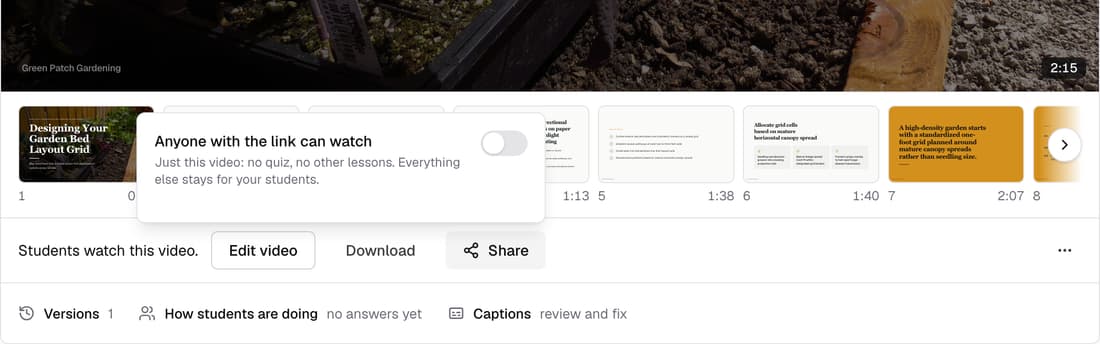
Switch on “Anyone with the link can watch” for a published lesson video and it gets its own page in your school's branding, plus a code to embed it on your website. It stays off for every video until you switch it on.
What’s changed
Before, a lesson video could only be watched inside your course. Now you can share one video with anyone, or put it on your own site or sales page.
Who gets itSchools with a licence or Pro
How it works
- Publish the video to students first. The link plays what they watch.
- Click Share by the video and switch on Anyone with the link can watch.
- Use Copy link, or Copy embed code under Embed on your website.
- Switch it off any time and the link stops playing.
Good to know
- It shares just this video: no quiz and no other lessons.
- If your school has its own domain, the link uses it.
- Take the video off the lesson and the link shows nothing until students have a video there again.