AI
Narrate your videos in your own voice
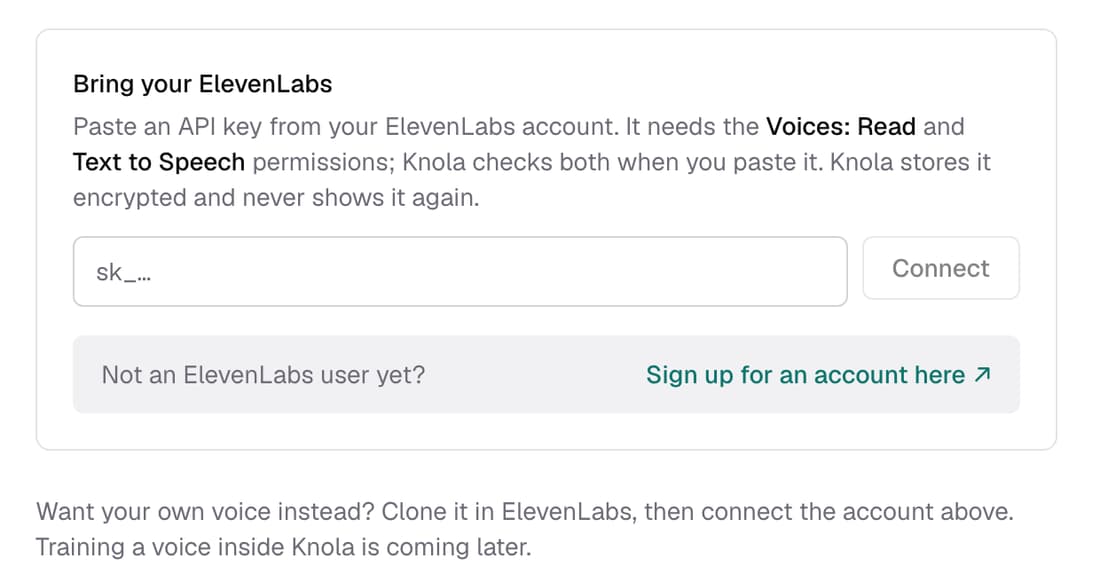
Connect your ElevenLabs account and your lesson videos are narrated in a voice you cloned there. The narration runs on your ElevenLabs plan, so those videos use no Knola credits. No account? Pick one of Knola's six narrators in the same place.
What’s changed
Before, every lesson video was read by Knola's standard narrator. Now you choose the voice: your own clone from ElevenLabs, or one of six Knola narrators.
Who gets itEvery school
How it works
- Clone your voice in your ElevenLabs account first.
- In ElevenLabs, make an API key with Voices: Read and Text to Speech.
- Open Settings ▸ Brand kit, paste the key under Bring your ElevenLabs and click Connect.
- Click Show my voices, then Use this voice beside the one you want.
Good to know
- Narration runs on your ElevenLabs plan and characters, so these videos use no Knola credits.
- New lesson videos use the voice. Videos you've already made keep their audio.
- You can also click Change voice on a video screen and choose without leaving it.
- Disconnect at any time. Knola forgets your key and goes back to its own voices.