Sell
Sell the ebooks and checklists you make in Studio
Turn any Studio document into a product with its own price, buy link and checkout, and add an order bump if you like. Buyers get the download as soon as they've paid.
What’s changed
Selling files was open only to some schools. Now every school can turn a Studio document into a product, and the product starts with an empty description for you to write, rather than a line about where it was made.
Who gets itSchools with a licence or Pro
How it works
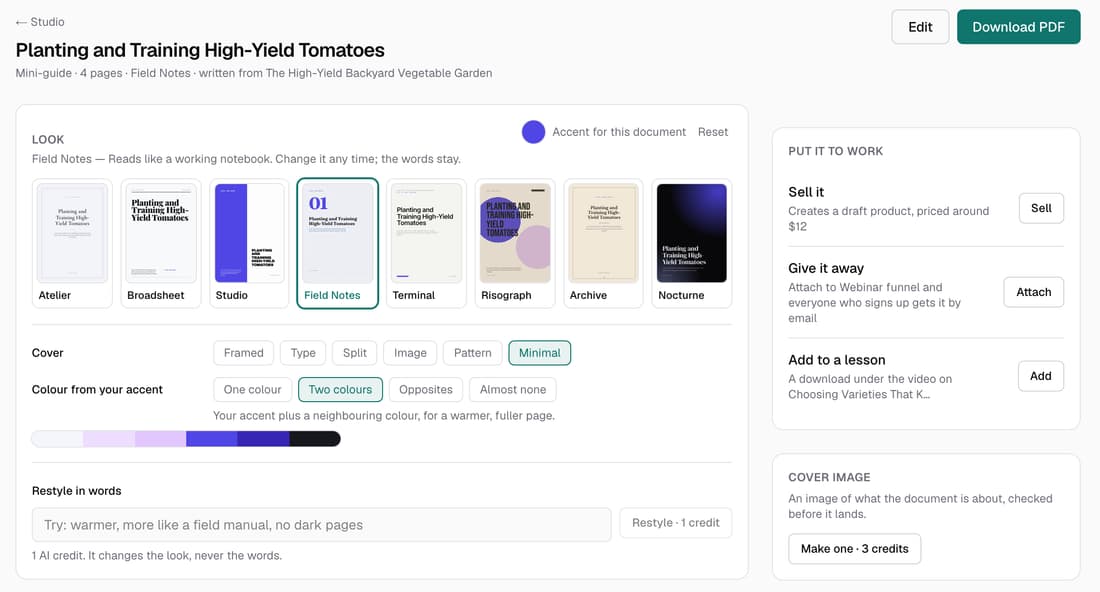
- Open a finished document from Your documents on the Studio page.
- In Put it to work, click Sell, then Create the product.
- Click Open product, type a price in Price (USD) and click Set price.
- Add an Order bump or a Delivery note if you like, then click Publish.
- Share the Product page link, or use the Direct checkout link on your own buttons.
Good to know
- On a subscription you keep 100% of each sale. On a lifetime plan Knola keeps 7.5%.
- Selling uses no credits. Connect Stripe first, or the buy link won't take payments.
- The product keeps the file it was made with. If you edit the document later, create the product again to sell the new version.
- Set the price to 0 and it becomes a free download that collects email addresses into your Audience.