How to choose the voice that narrates your videos
Pick the narrator for every video in your school from six voices made for teaching. Listen first, switch any time, from Settings or straight from a video.

 By Knola3 min read
Every narrated video in your school is read by one voice. You pick it once, and every new video uses it. Listening is free, so try as many as you like.
Where to change it
There are two ways in, and they open the same choices:
- In Settings, in the voice area.
- From any video screen: on the Script tab, the Voice panel has a Change voice button that opens the choices in a window, so you can switch without leaving the video.
Listen, then choose
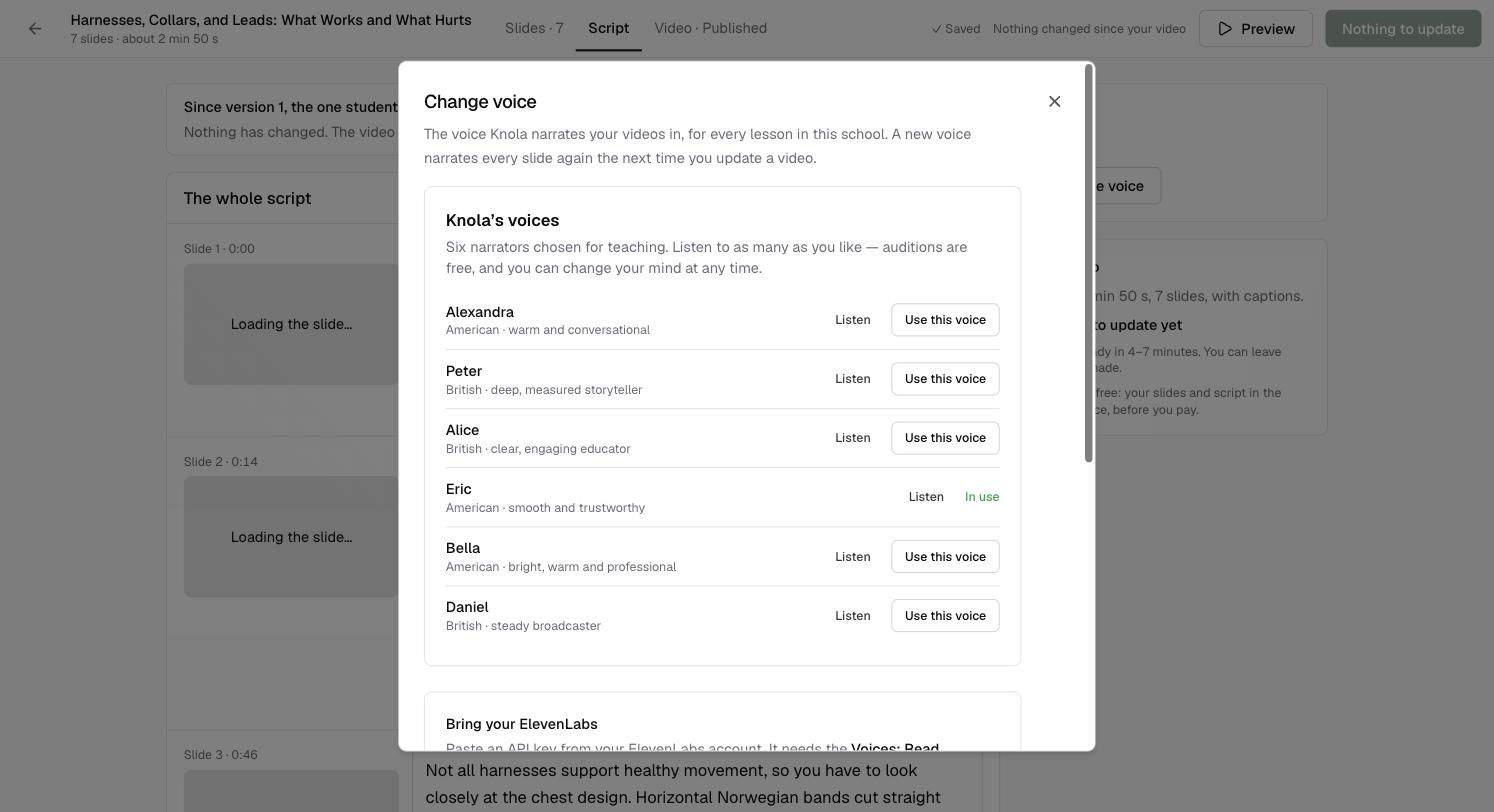
Under Knola's voices are six narrators, each with a one-line description: Alexandra (American, warm and conversational), Peter (British, deep, measured storyteller), Alice (British, clear, engaging educator), Eric (American, smooth and trustworthy), Bella (American, bright, warm and professional) and Daniel (British, steady broadcaster).
Click Listen beside any of them. When you have the one, click Use this voice. The voice in use is marked In use.
What changing the voice does
The voice is for every lesson in your school, not one video. Videos already made keep the voice they were made in. The next time you update a video, a new voice narrates every slide again, because the whole video has to sound like one person.
Can each lesson have a different voice?
No. One voice narrates your whole school, so a course sounds consistent from lesson to lesson. Change it and new videos follow.
Can I use my own voice?
Yes. Clone your voice in ElevenLabs, then connect your account in the same voice area. See How to narrate videos with your own ElevenLabs voice.
Does listening cost anything?
No. Auditions are free, as the window says, and you can change your mind at any time.