How to give every course a teaching assistant with the AI Tutor
Turn on the AI Tutor from your course page and give students a 24/7 assistant that answers only from your lessons, with citations that jump to the moment.

 By Knola4 min read
A Knola Pro feature. The card offers the upgrade in place ($37/mo, cancel anytime). If Pro lapses, the tutor pauses for students until you resubscribe.
The AI Tutor is, in the card's own words, "a tutor trained on your lessons that answers your students' questions 24/7." It never improvises: answers come only from your course content, arrive with citations, and each one is checked against the lessons before it's badged as verified. Students see it as Tutor on every lesson of a course where it's live.
Open the AI Tutor card on your course
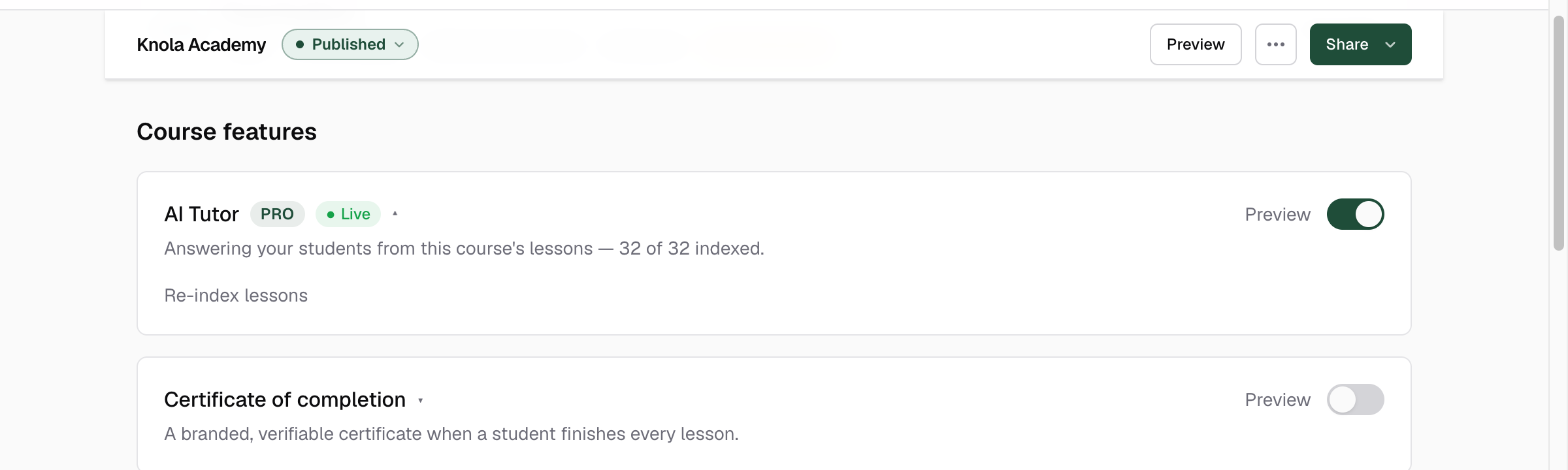
In your admin, go to Courses and open the course. The AI Tutor card sits under Course features, below the details strip, marked with a Pro pill. Click the card's header to expand its details.
Turn it on
Flip the toggle on the card. On Knola Pro the tutor starts learning your course immediately. You'll see Indexing your lessons… while it reads every lesson, then a green Live badge and a status line like "Answering your students from this course's lessons — 12 of 12 indexed."
Not on Pro yet? The toggle opens an upgrade dialog instead. It shows the tutor in action and confirms before adding Pro at $37/mo, cancel anytime. There's also a See how it works → link on the expanded card.
Preview it, and update the tutor after big edits
Once live, the card gains a Preview link. It opens the exact chat panel your students get, so ask it a few real questions before they do. When you add or substantially rewrite lessons, expand the card and click Re-index lessons so the tutor learns the new material. Turning the toggle off pauses the tutor instantly; everything it has learned stays, so turning it back on is immediate.
What students get
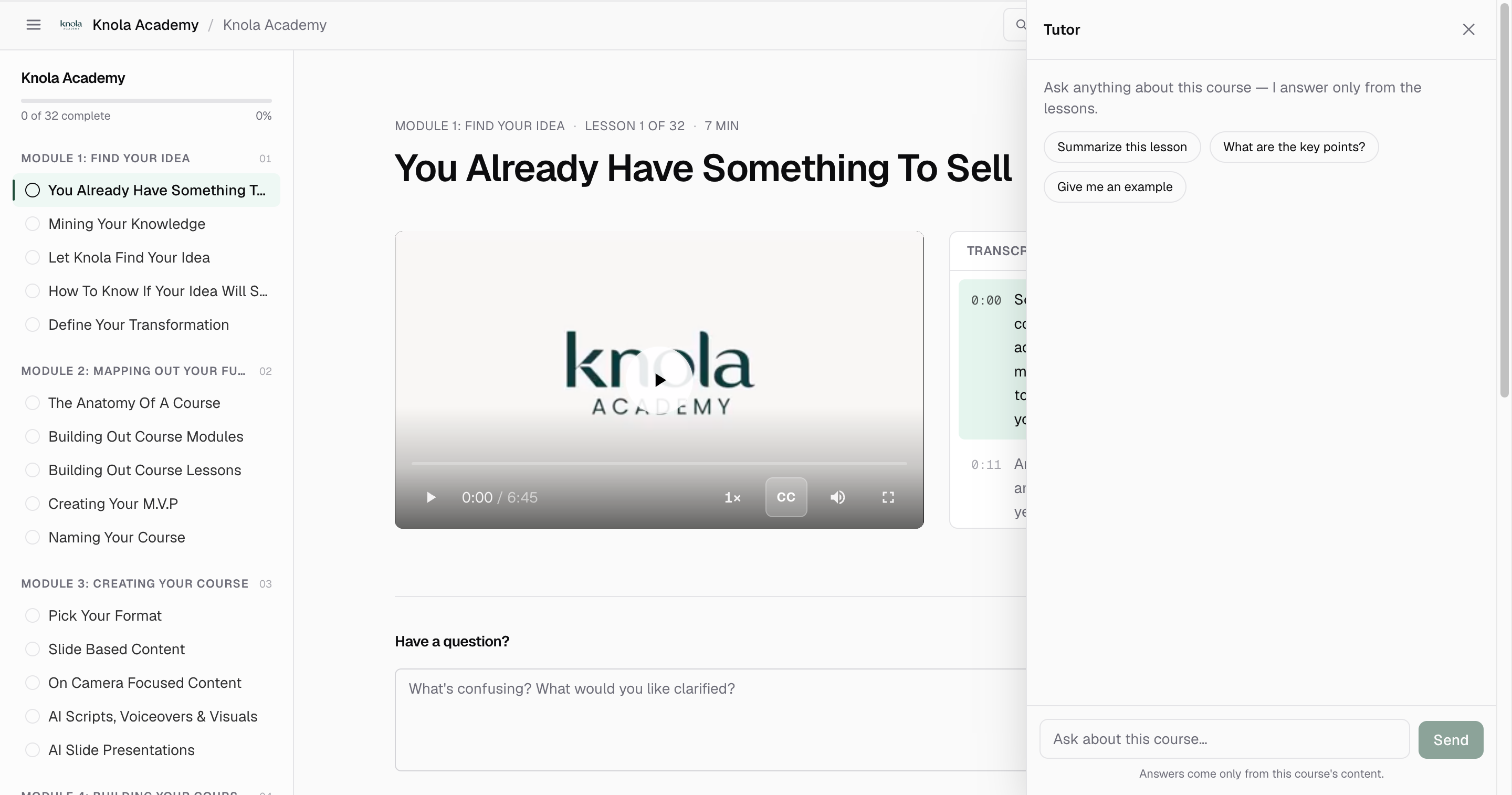
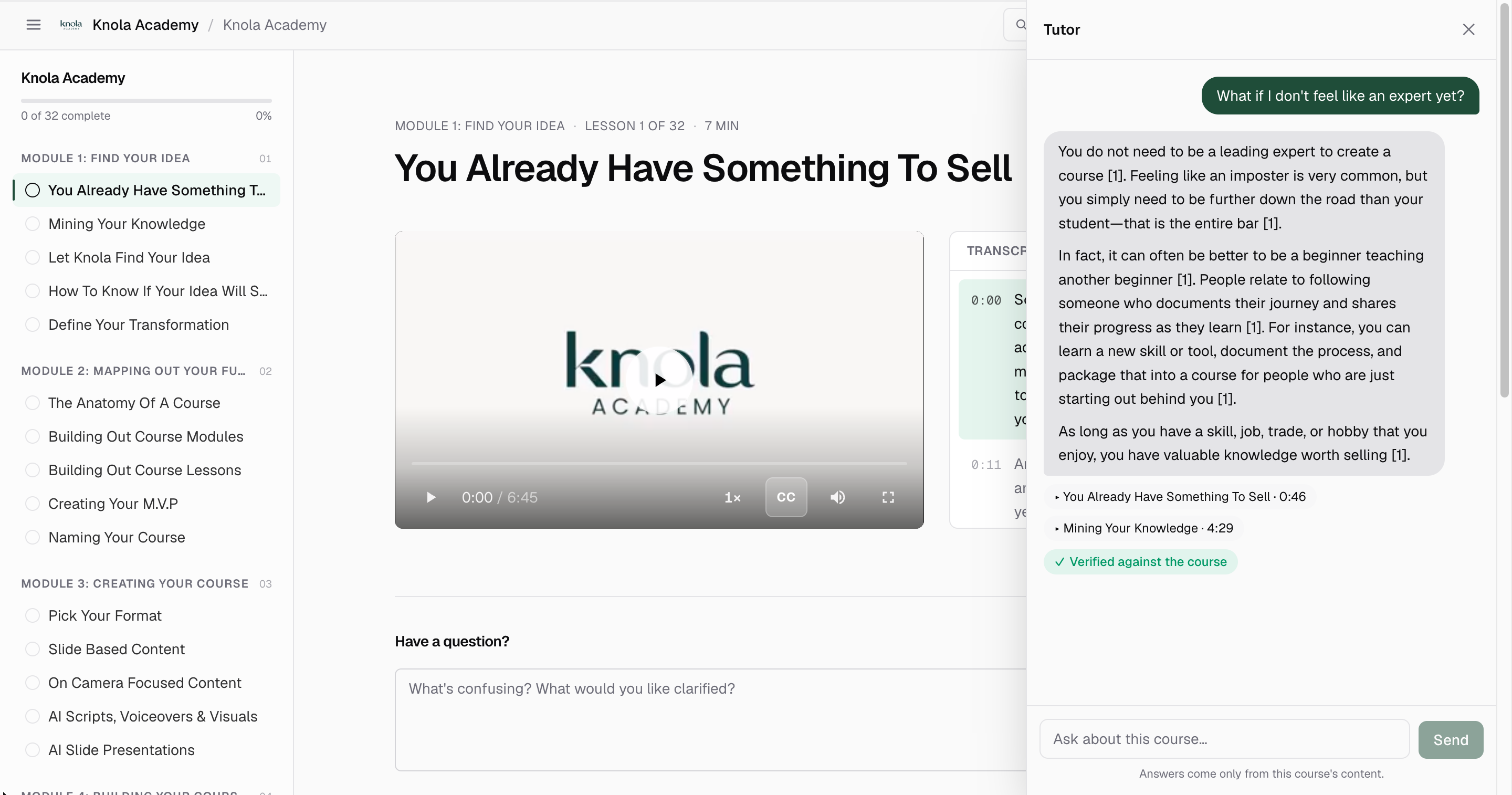
On every lesson of the course, students see an Ask Tutor button. Opening it offers starter prompts (Summarize this lesson, What are the key points?, Give me an example) and a free-form box.
Every answer is grounded in your lessons
- Citations under each answer name the lesson and, for video, the timestamp. Clicking one seeks the current video to that moment or jumps straight to the cited lesson.
- A Verified against the course badge appears when a fact-check pass confirms the answer is supported by your lessons; if it can't confirm everything, students see Some details couldn't be verified instead.
- Questions your course doesn't cover get an honest "this course doesn't cover that" reply with the closest topics, never an invented answer.
Student questions are unlimited on Knola Pro. The tutor runs for as long as your Pro plan does, across as many students as you enrol.
Does the AI Tutor make things up?
Answers come only from the lessons the tutor has read, each one carries citations, and a separate verification pass badges answers as Verified against the course. Questions outside the course get a straight "this course doesn't cover that."
Which plan do I need for the AI Tutor?
Knola Pro. The card offers the upgrade in place at $37/mo, cancel anytime, and student questions are unlimited while you're on Pro. If Pro lapses, the tutor pauses for students until you resubscribe.
Do I need to update the AI Tutor after editing a lesson?
For substantial changes, yes: expand the AI Tutor card and click Re-index lessons. It only takes a moment, and the tutor answers from the updated lessons immediately.