How to sell slices of one course with access tiers
Sell slices of one course as named tiers: choose the modules each tier unlocks, set a default price, and let offers and upsells sell the levels.

 By Knola4 min read
One course can be sold at several levels without duplicating anything. An access tier is a named slice of the course: a set of modules a buyer unlocks when they purchase. As the tiers page puts it: upsells swap a buyer to a higher tier without a second checkout.
Open your course's Access tiers
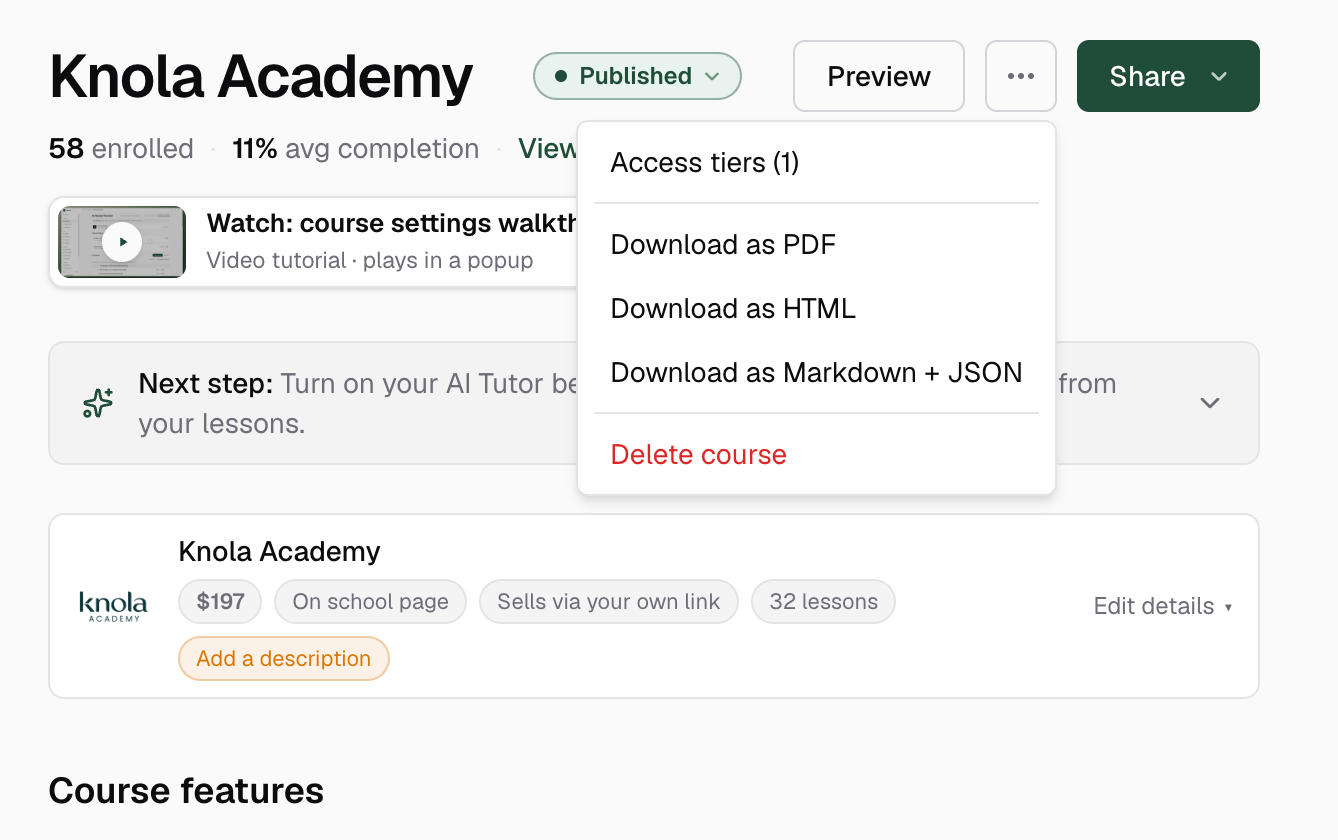
On the course page, click the "access tiers" count in the header, or open the ⋯ menu and choose Access tiers. The page lists every tier with the modules it includes and its default price.
Meet the Full access tier
Every course gets a Full access tier automatically. It always covers the whole course and is marked Managed: you can't edit, reorder or delete it. When you add modules later, it updates itself, so a Full access buyer always owns everything, including content added after they bought.
Create a tier
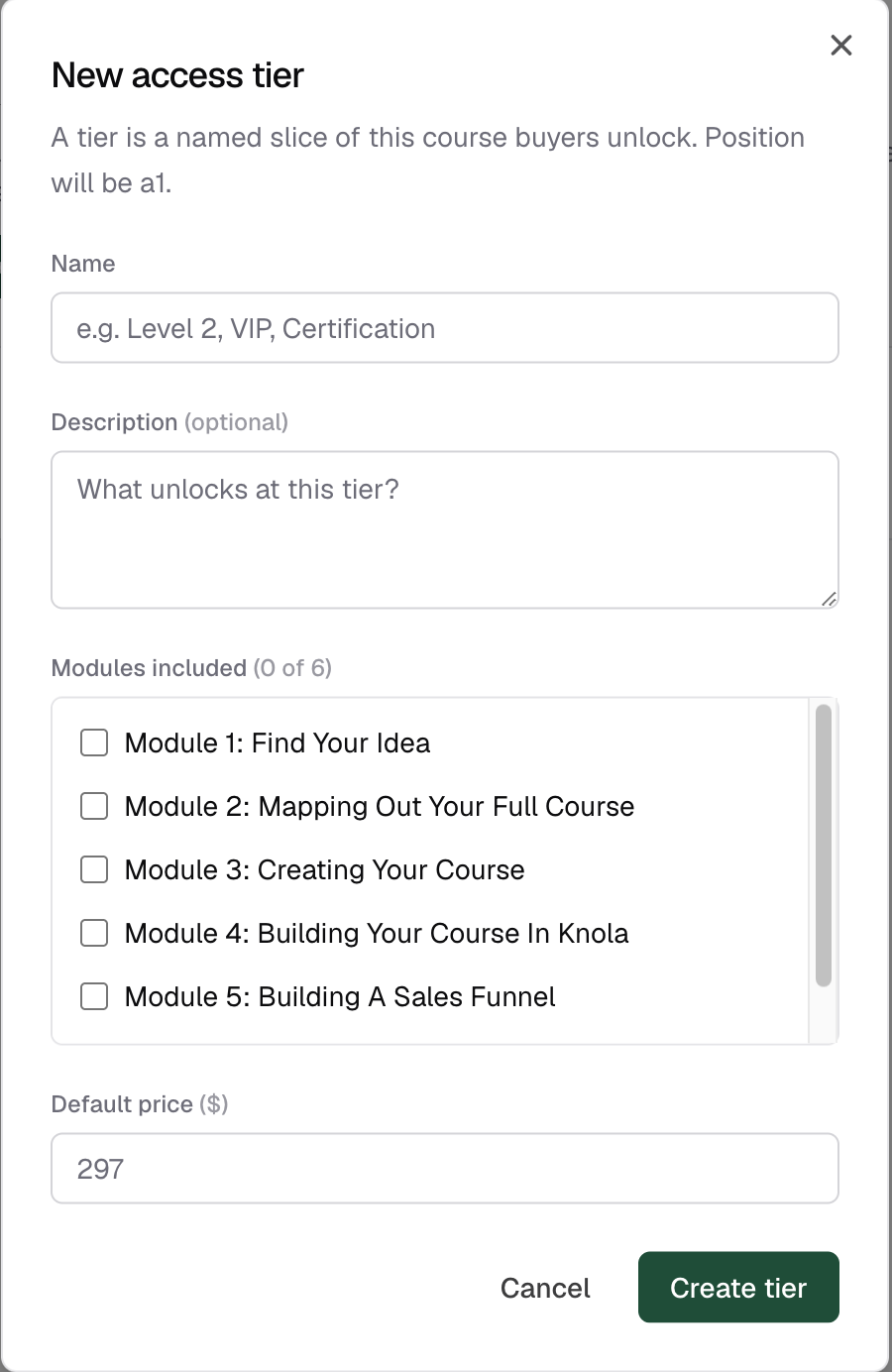
Click + New tier. In the dialog, give it a Name (e.g. Level 2, VIP, Certification), an optional Description answering "What unlocks at this tier?", tick the Modules included, and set a Default price. Then click Create tier.
Edit, reorder or delete tiers
Each custom tier's ⋯ menu offers Edit tier, Move up / Move down to set the ladder's order, and Delete tier. Deleting warns you first: repoint any offers or upsells still selling the tier, and buyers already on it keep their access until you change their enrolment.
Can I sell just part of my course?
Yes. Create a tier that includes only the modules you want to sell, then build an offer that grants that tier. Buyers see and access exactly those modules.
Do Full access buyers get modules I add later?
Yes. The Full access tier is managed by Knola and always covers every module of the course, including ones added after someone bought it.
What happens to buyers if I delete a tier?
They keep their access until you change their enrolment. Knola asks you to remove or repoint any offers or upsells still selling the tier before deleting it.