

Knola Live
Run live sessions, webinars, cohort calls and coaching inside your school, then publish, sell or teach from the recording.
22 guides · 8 videos
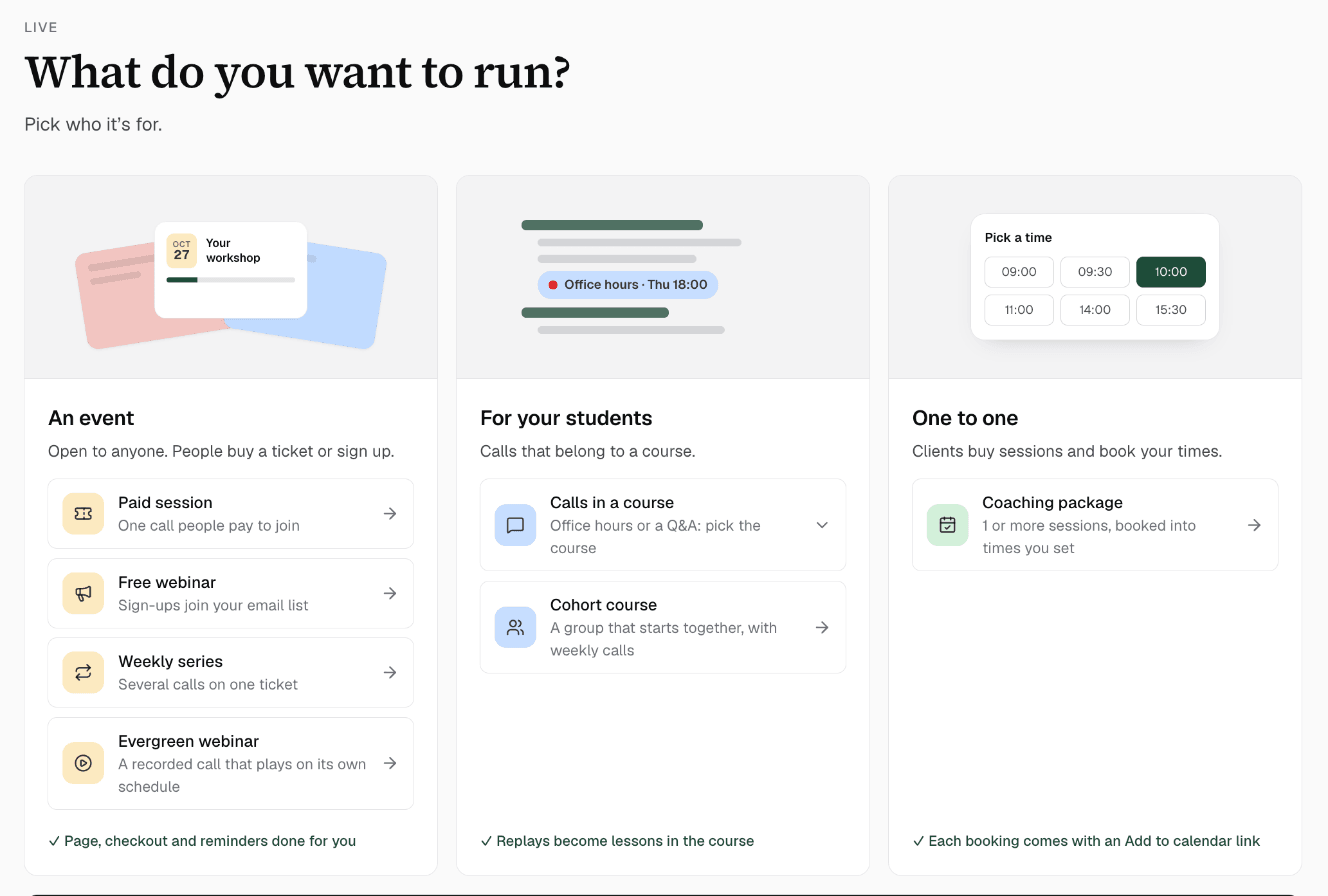 What Knola Live is and what you can runSee every kind of live session you can run in your school with Knola Live, where each one starts, and what Knola sets up for you. Video4 min read
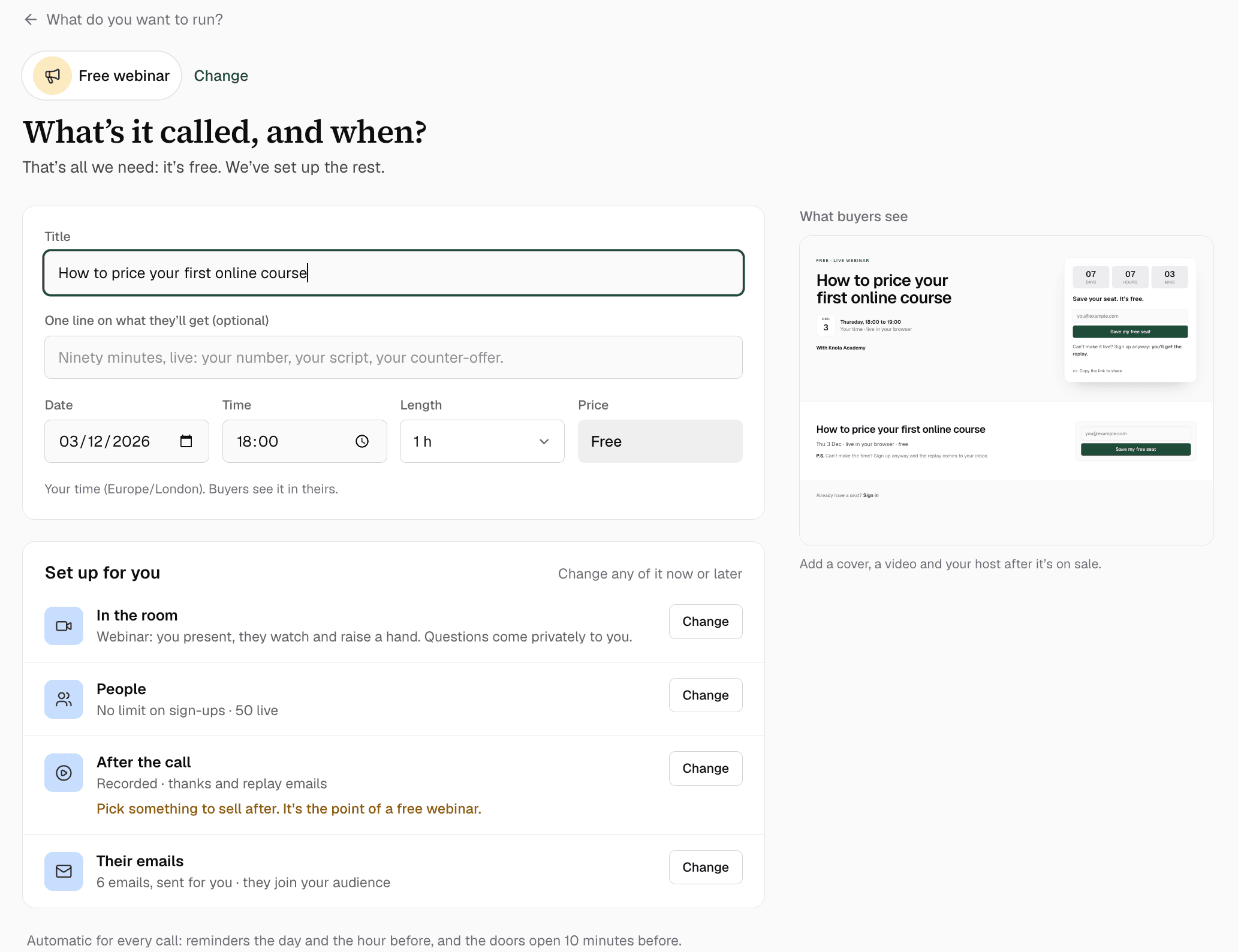 How to create and schedule a live sessionSet up a webinar, a workshop or a series of calls in Knola Live: give it a title and a time, choose how the room works, and open sign-ups.5 min read
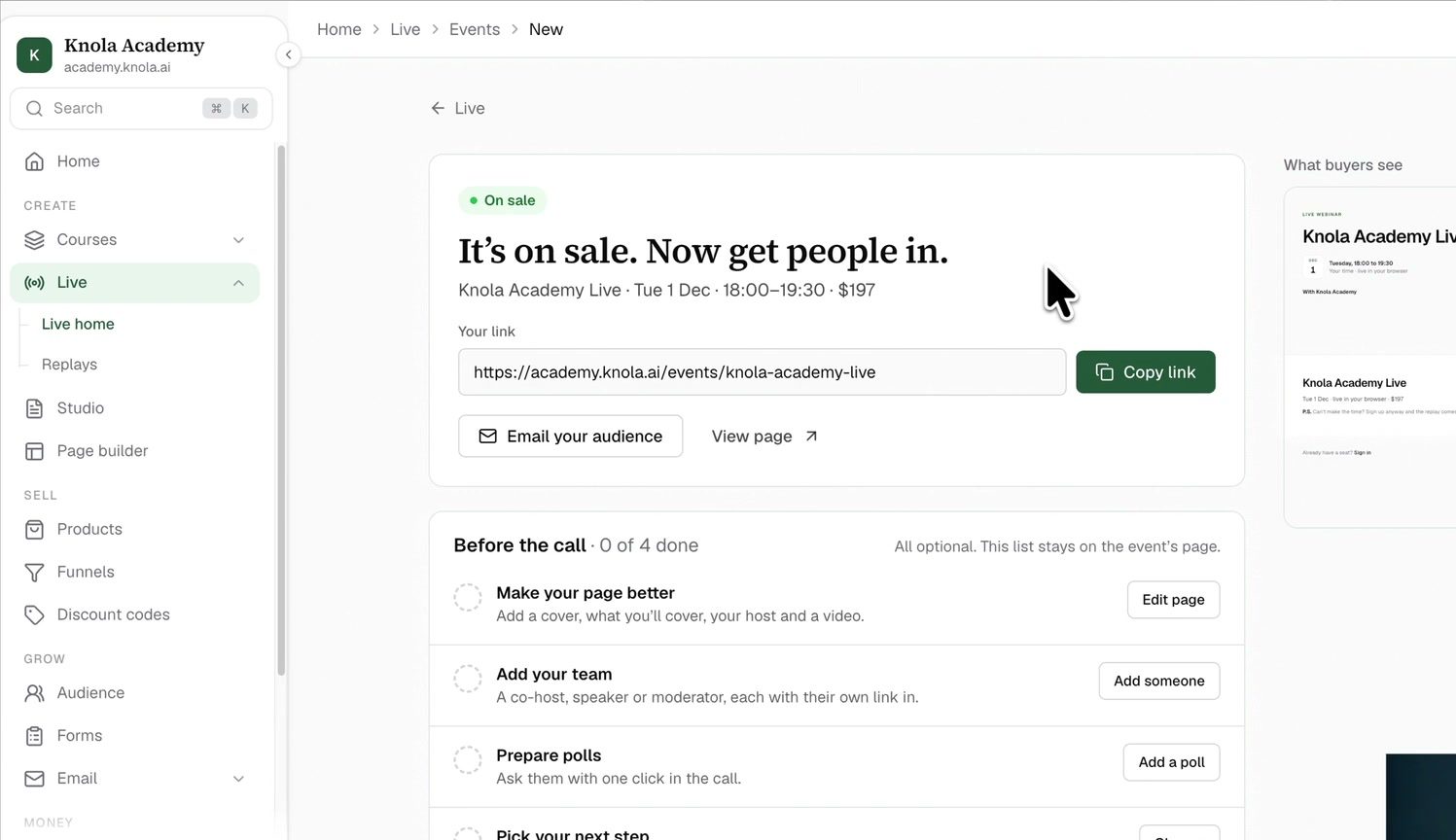 How to charge for a live sessionSell seats to a live workshop or masterclass: set the price, limit the places, connect Stripe, and know when ticket sales stop. Video4 min read
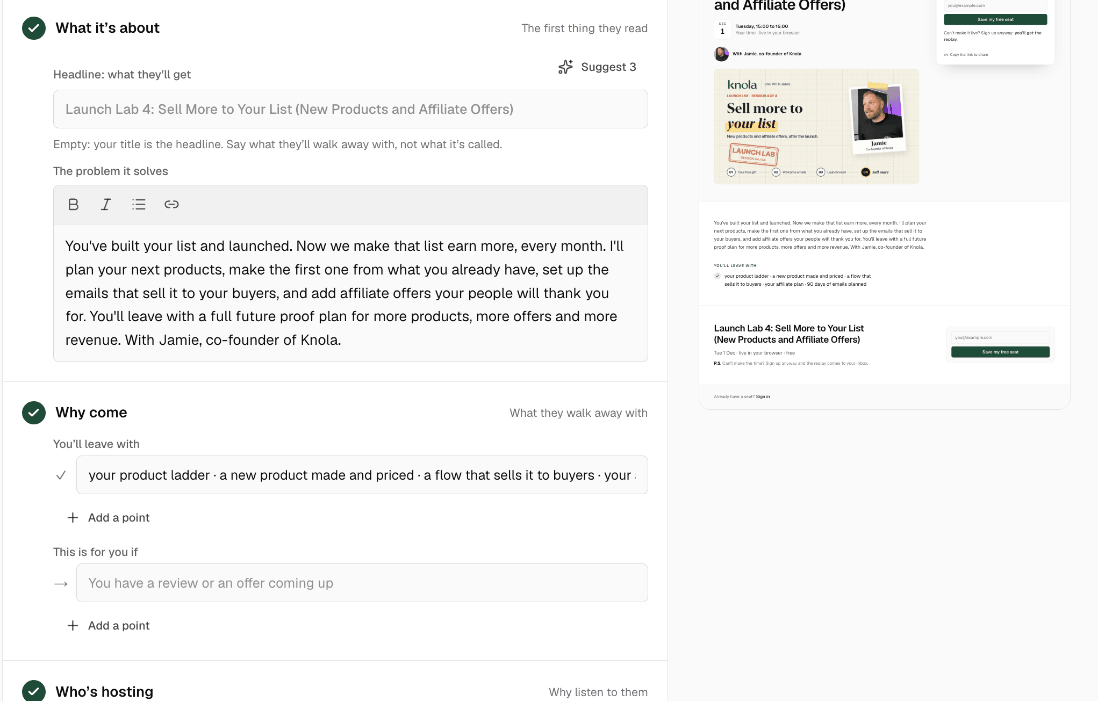 How to set up your live event pageMake the sign-up page for your live session do its job: the headline, the host, the look, the link, and what people do to get a seat.5 min read
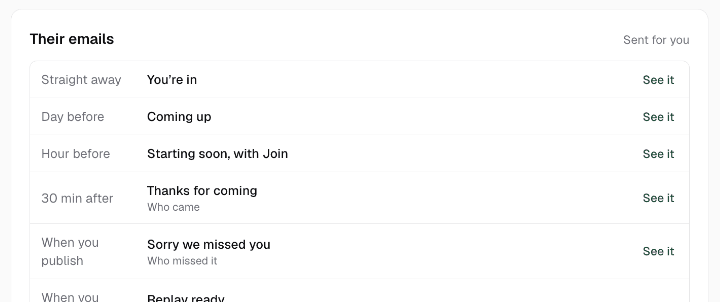 Emails and reminders for a live sessionKnow every email Knola sends for a live session, when each one goes, how to read it first, and how to change its words or switch it off.4 min read
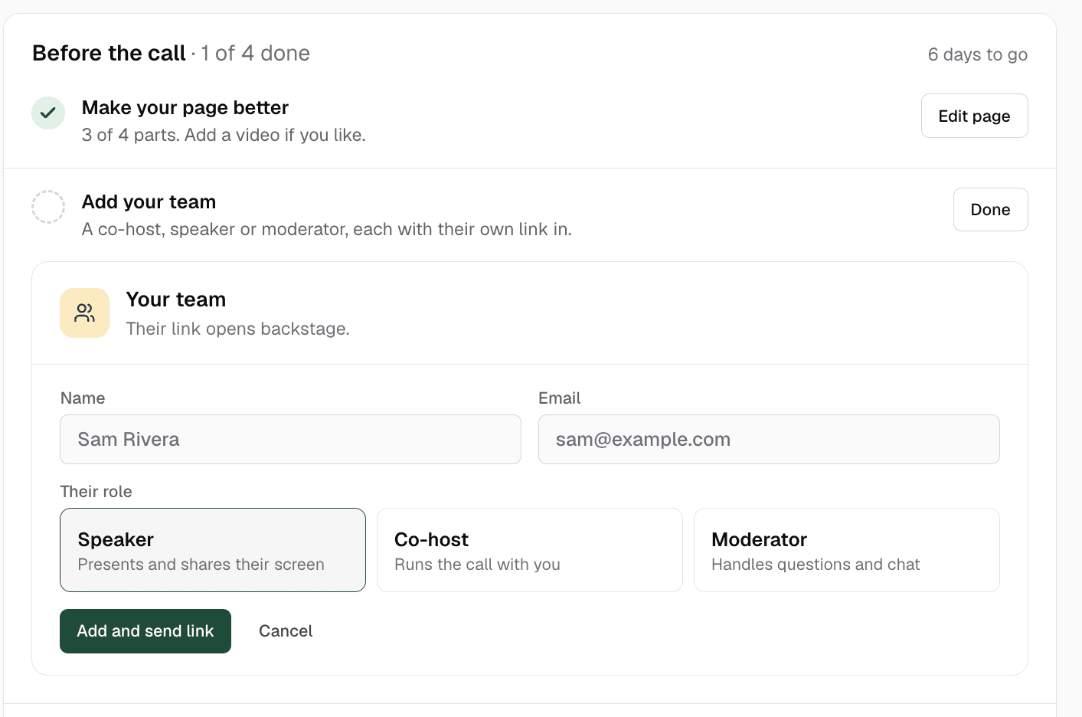 How to add co-hosts, moderators and speakersBring a co-host, a moderator or a guest speaker into your live session: pick the right role, send their link, and add someone during the call.3 min read
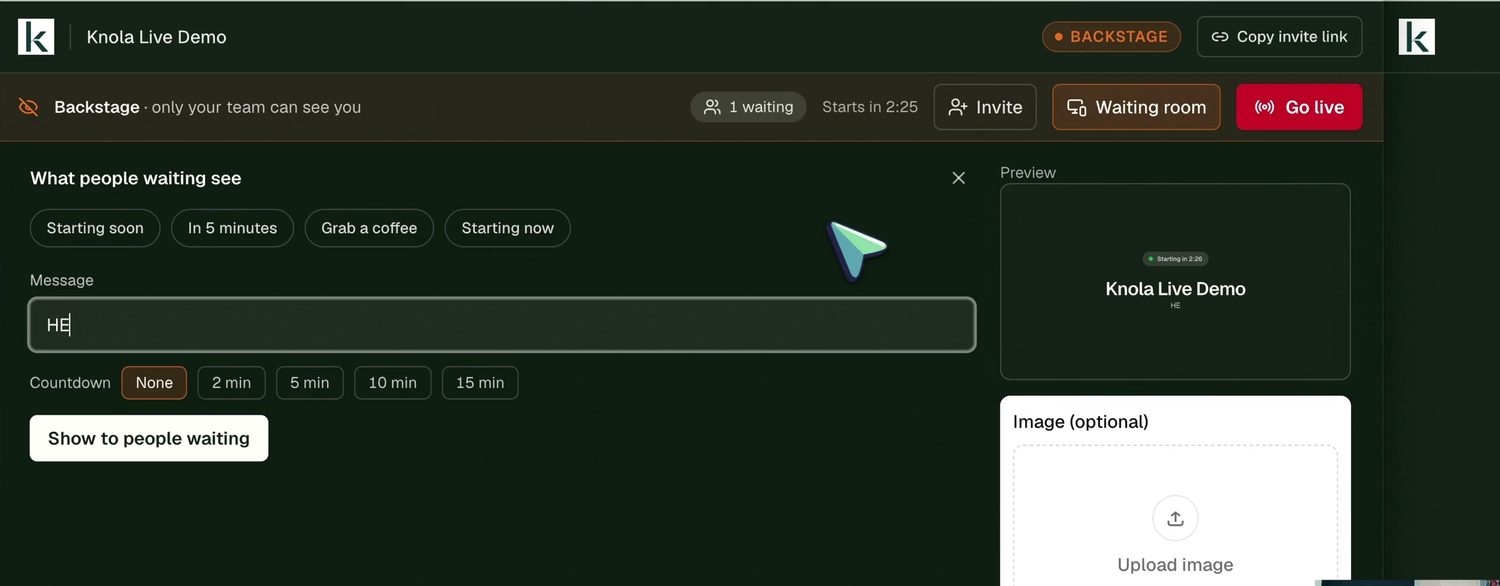 How to go liveOpen your live room, get people in, set what they see while they wait, and go live when you are ready, with the room's controls explained. Video5 min read
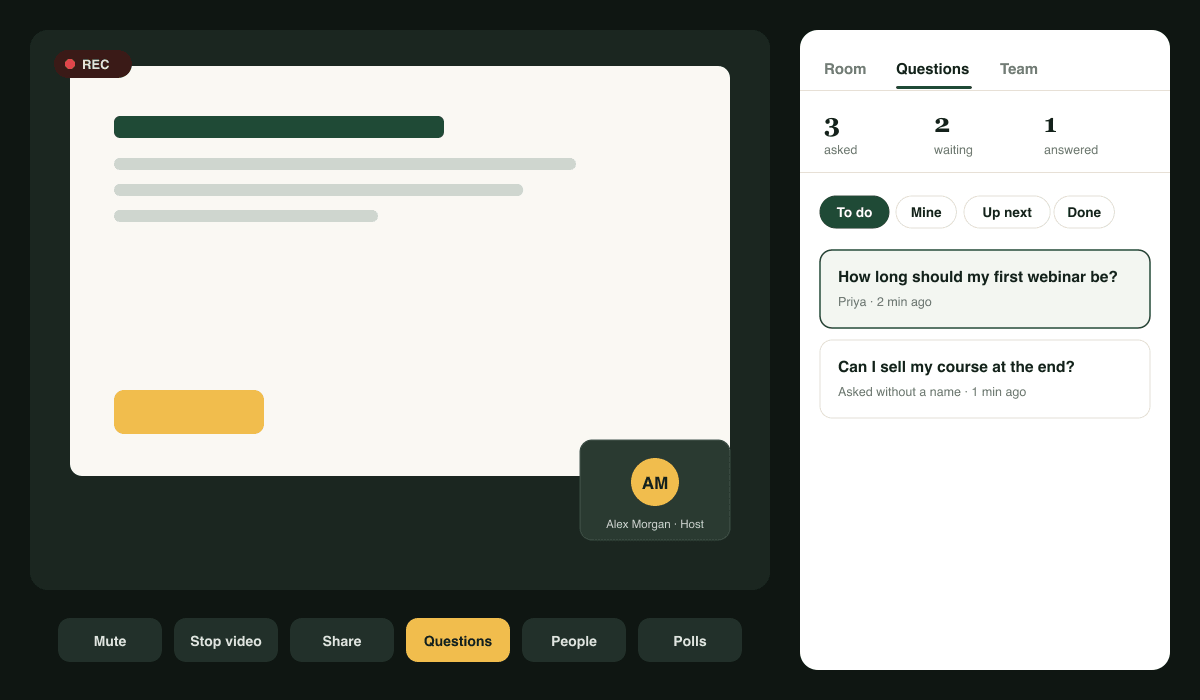 How to take questions in a live sessionTake questions in a live session without scrolling a chat: choose private or open questions, answer live or in writing, and share the work.4 min read
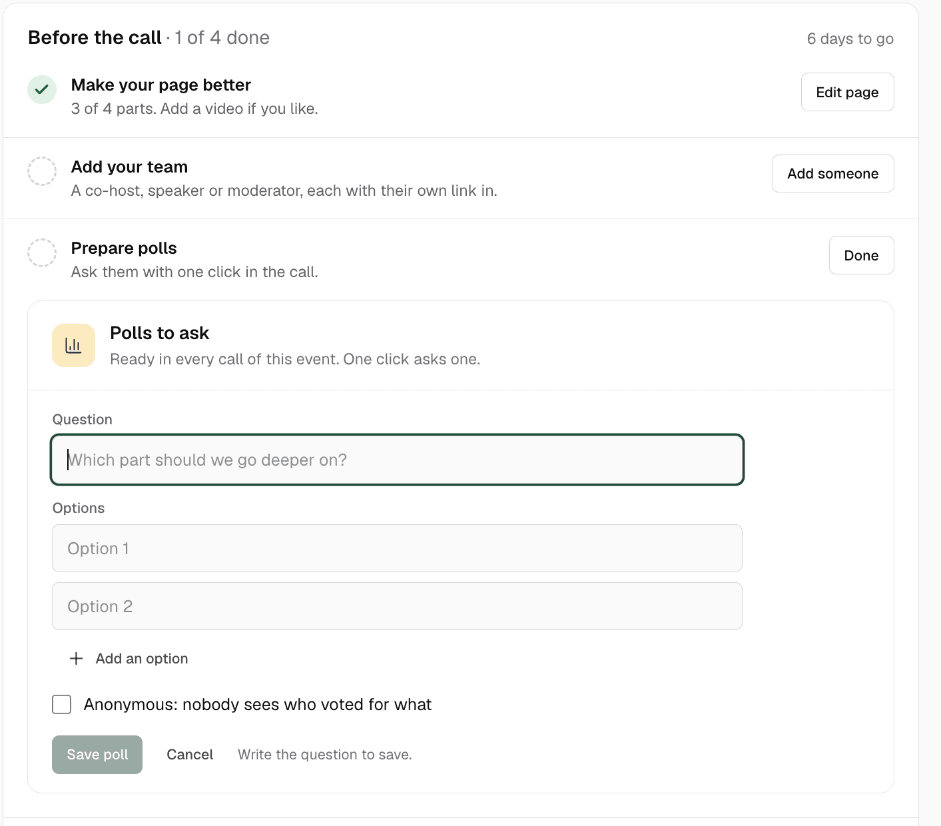 How to run a poll in a live sessionPrepare polls before your live session, ask each one during the call, make a new one on the spot, and read the results afterwards. Video3 min read
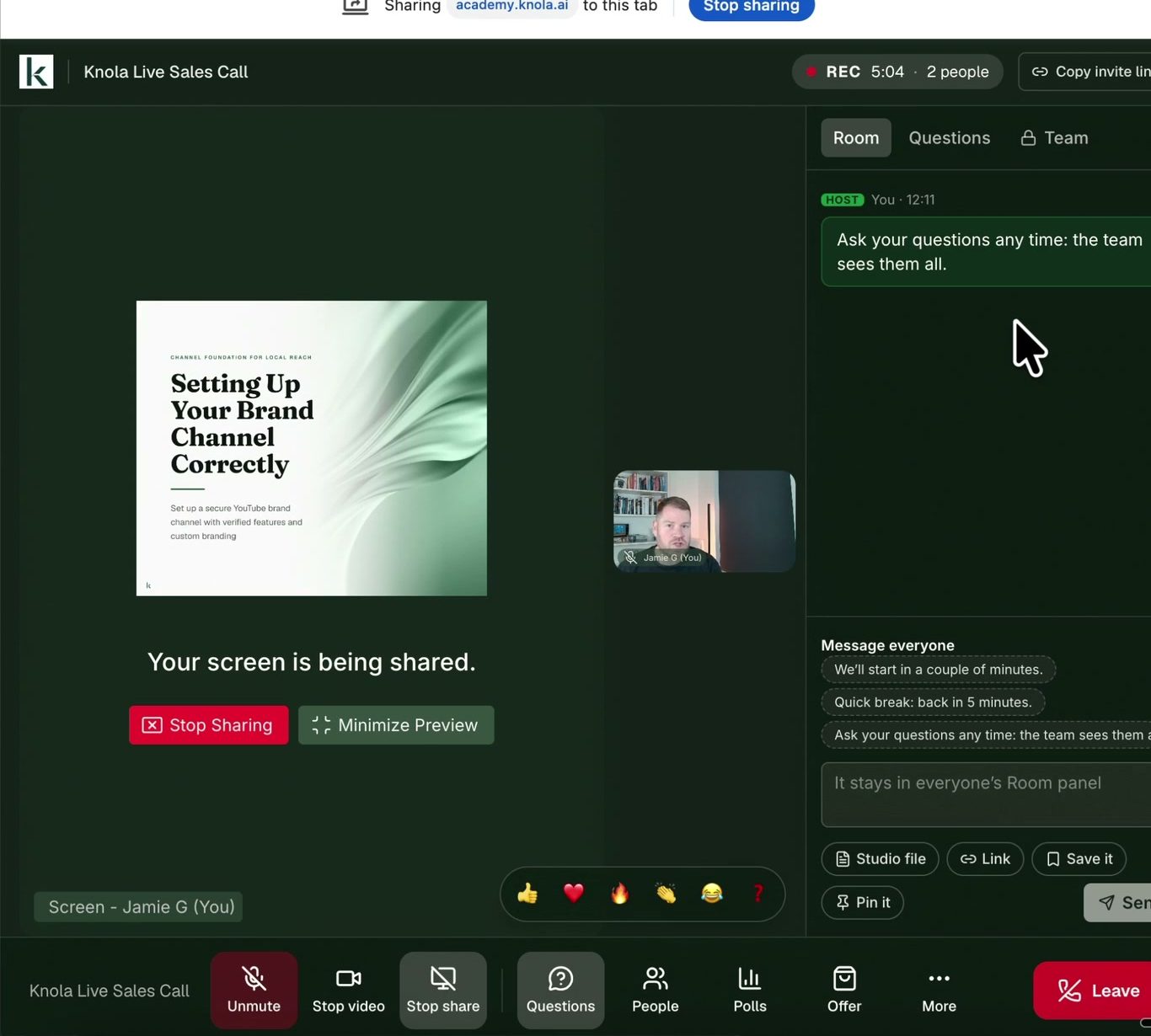 Messages, chat, reactions and raised handsSend a note, a link or a file to everyone in your live session, open or close the chat, read the reactions, and bring someone up to speak.4 min read
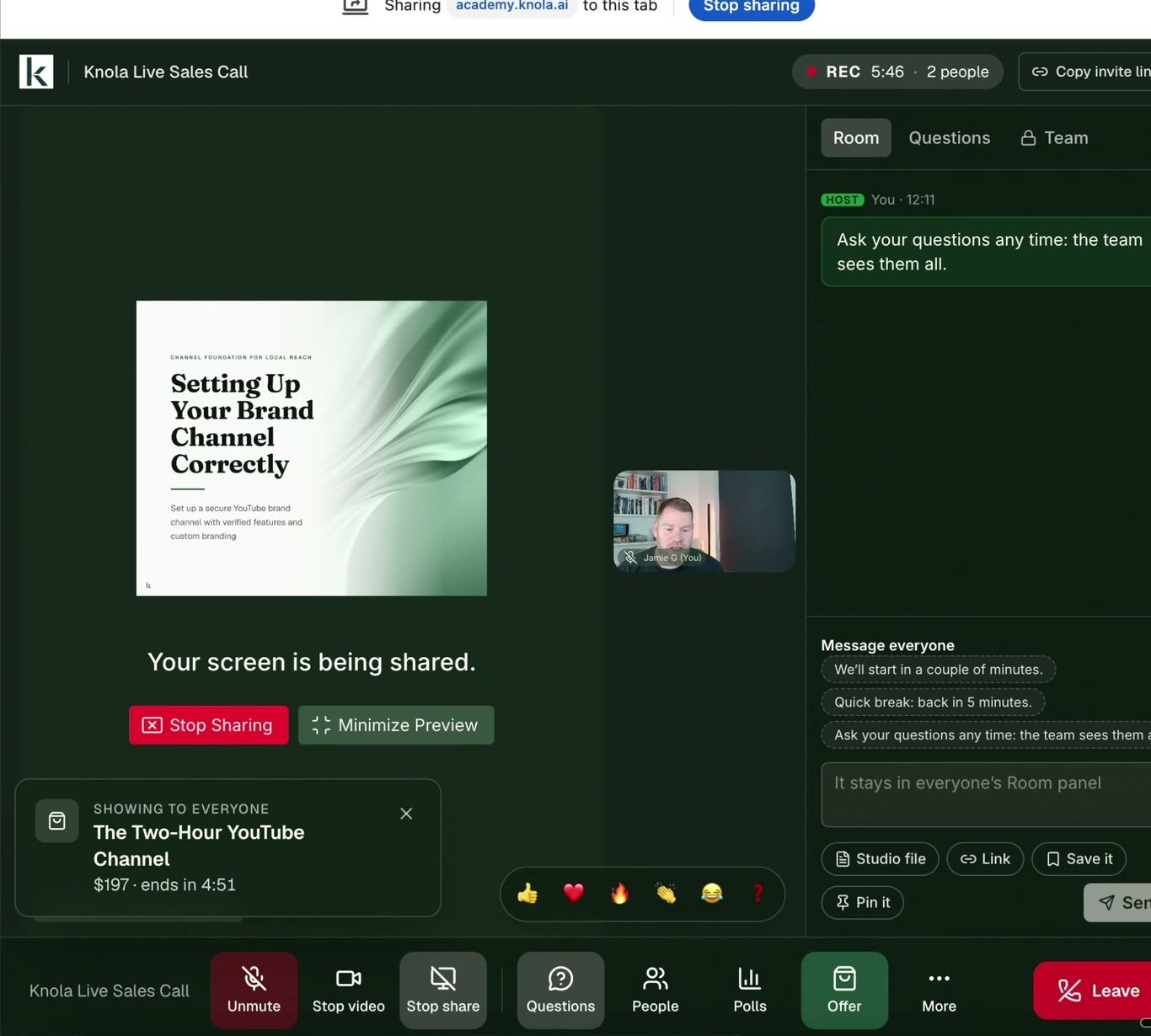 How to show an offer in a live sessionPut one of your products on every screen in your live session, with a price, a countdown and a Buy button, and see what it sold. Video3 min read
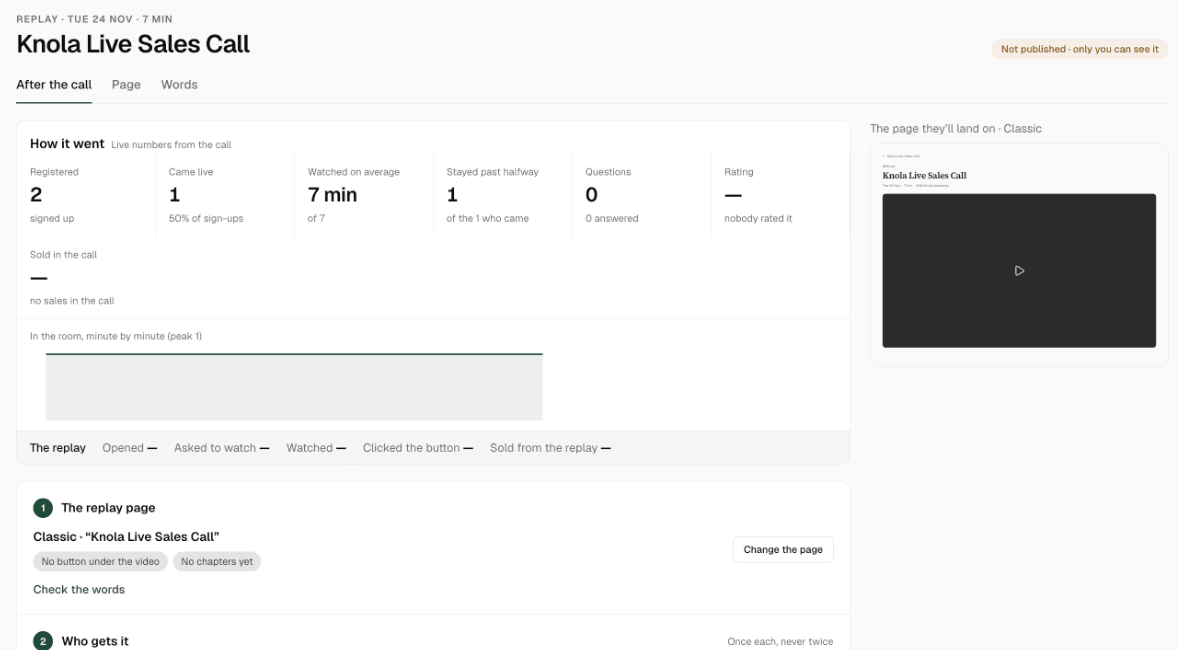 How to end a live session and see how it wentEnd your live session for everyone, then read how it went: who came, how long they stayed, what they asked, what sold, and who to follow up. Video4 min read
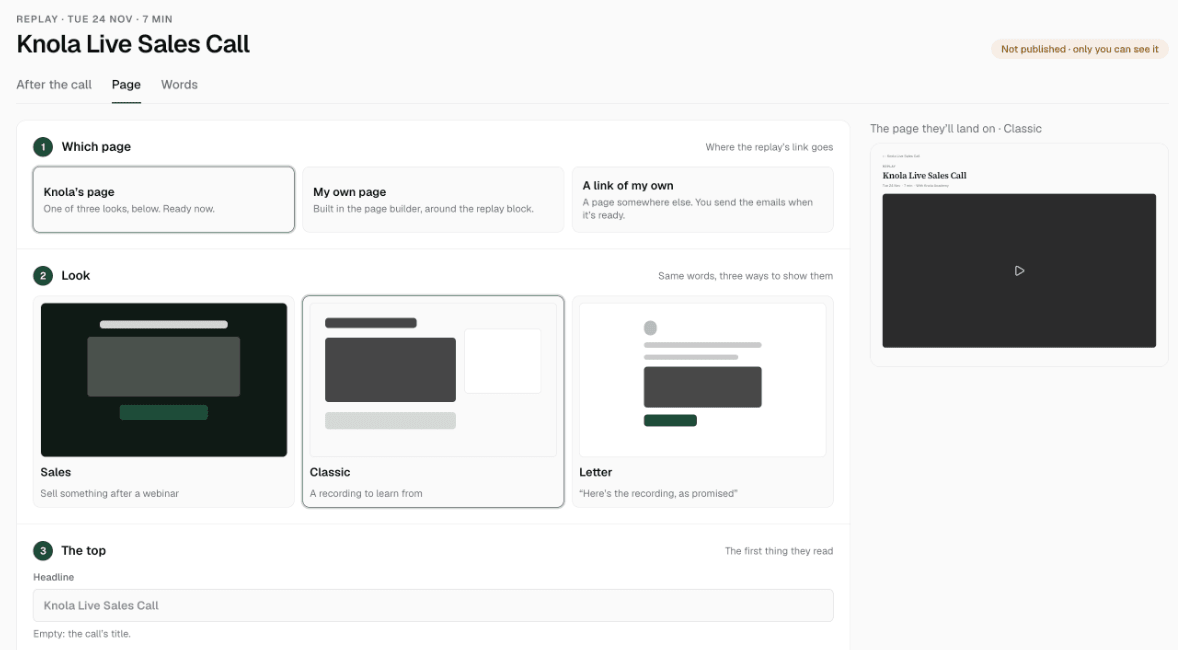 How to publish a live session recordingCheck the recording of your live session, fix its words, set up its page, publish it to the people who signed up, and download the file. Video5 min read
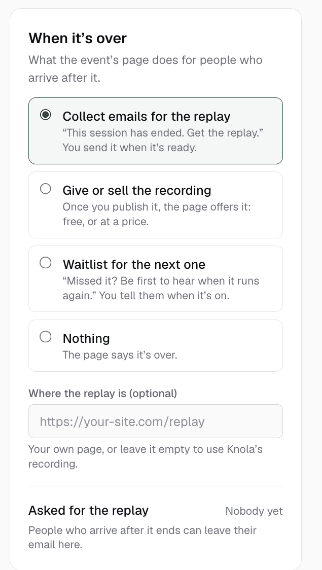 How to sell the recording of a live sessionTurn a finished live session into something you sell: put a price on the recording, collect the people who ask for it, and send it to them.3 min read
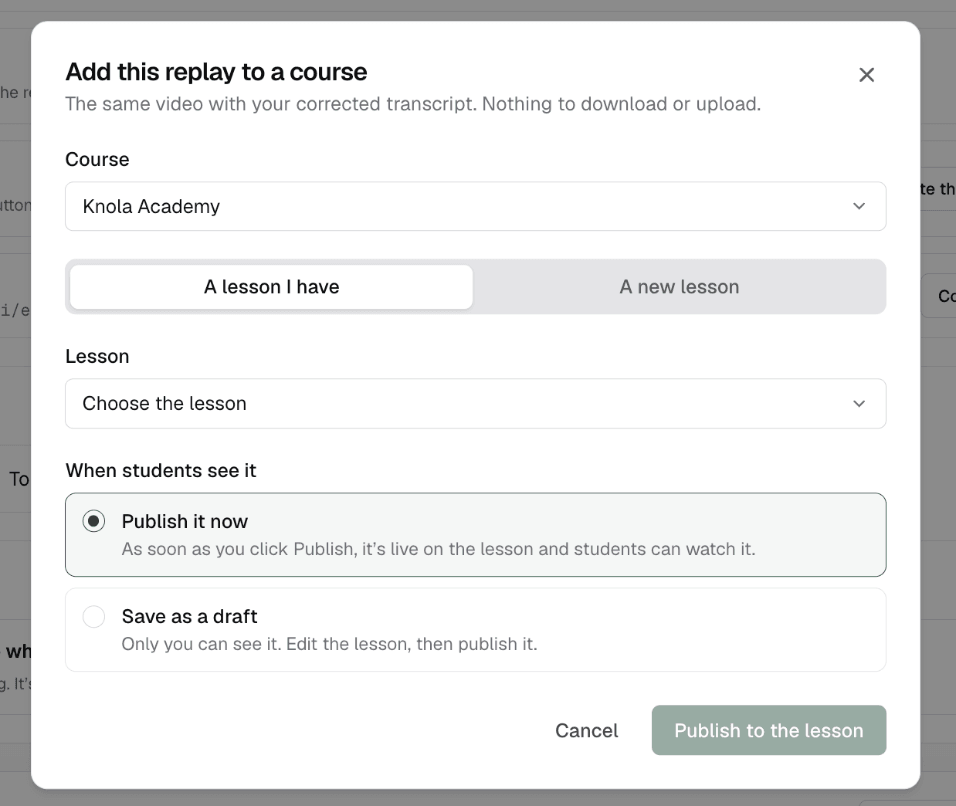 How to put a live recording in a courseTurn the recording of a live session into a lesson: choose the course and the module, and publish it to students now or keep it as a draft. Video3 min read
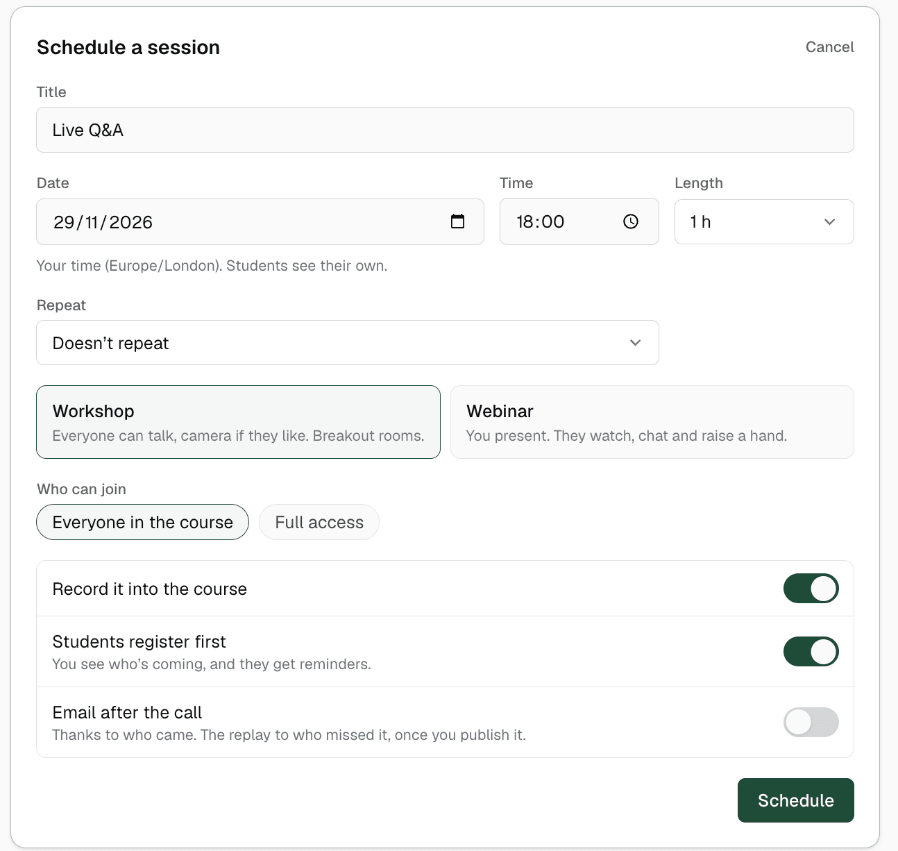 How to run live calls for a courseAdd office hours or a live Q&A to a course: schedule the calls, let students register, and publish each recording as a new lesson.4 min read
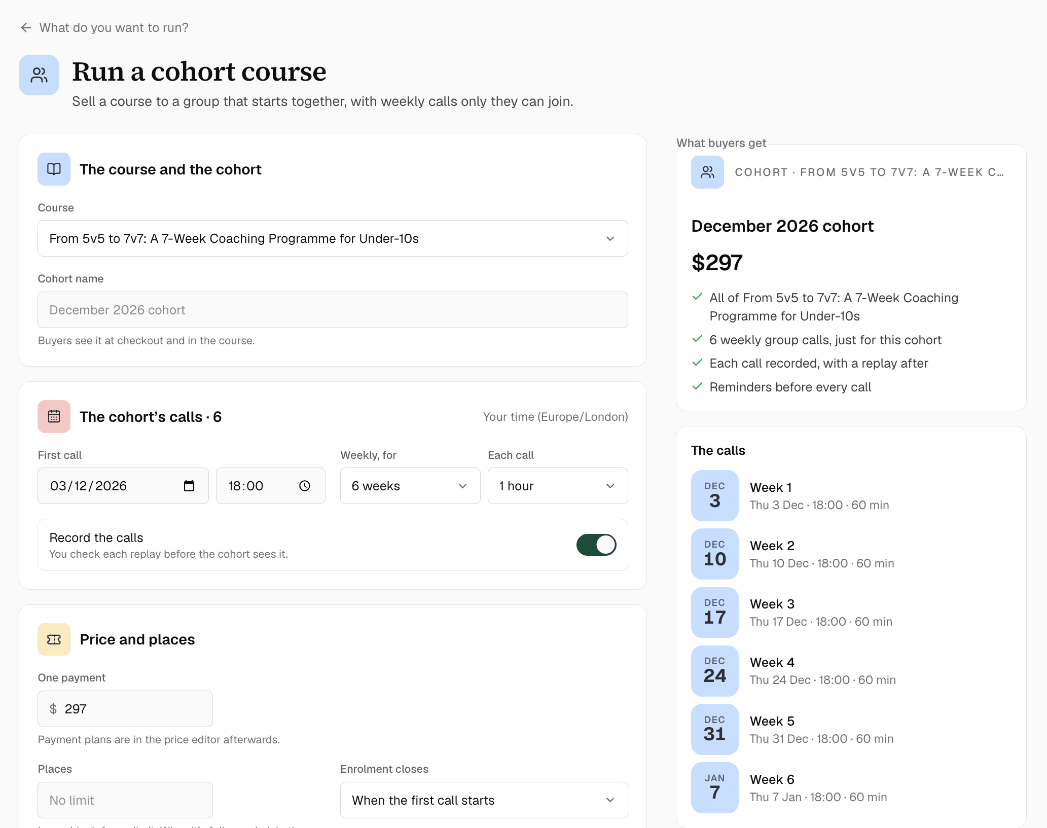 How to run a cohort courseSell one of your courses to a group that starts together: set the calls, the price and the places, then keep the whole cohort on track.4 min read
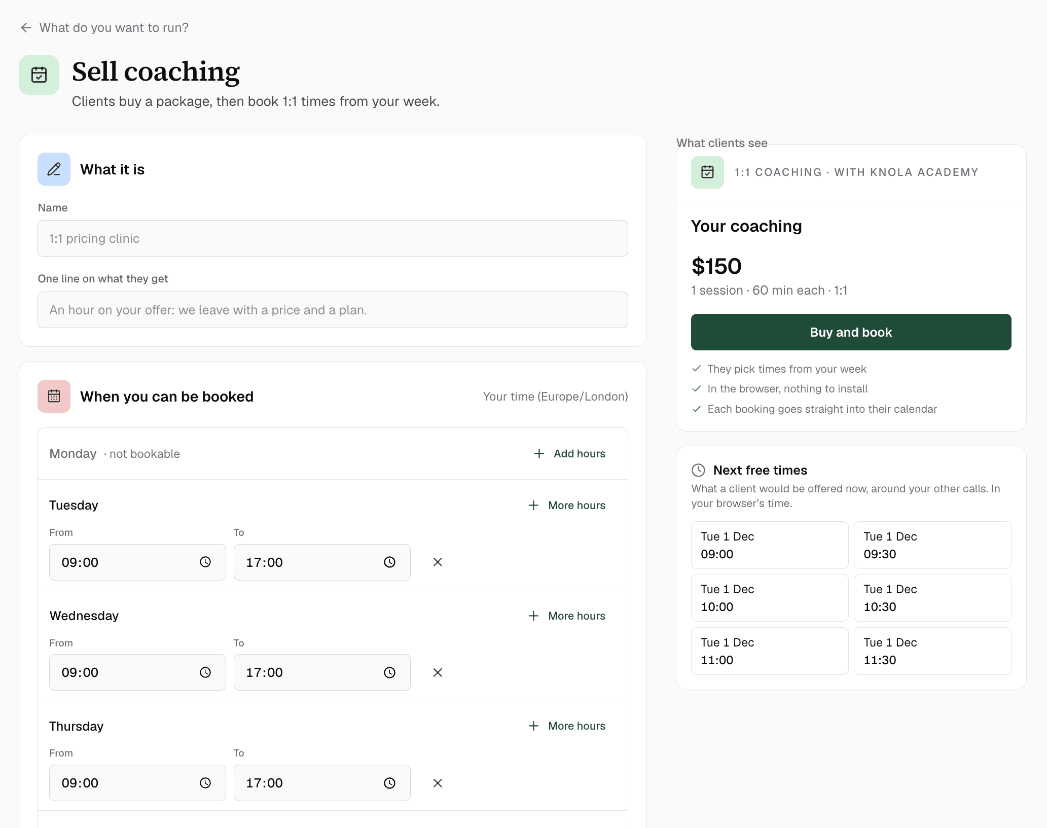 How to sell coaching and take bookingsSell one to one coaching from your school: set the hours you can be booked, the package and the price, and let clients pick their times.5 min read
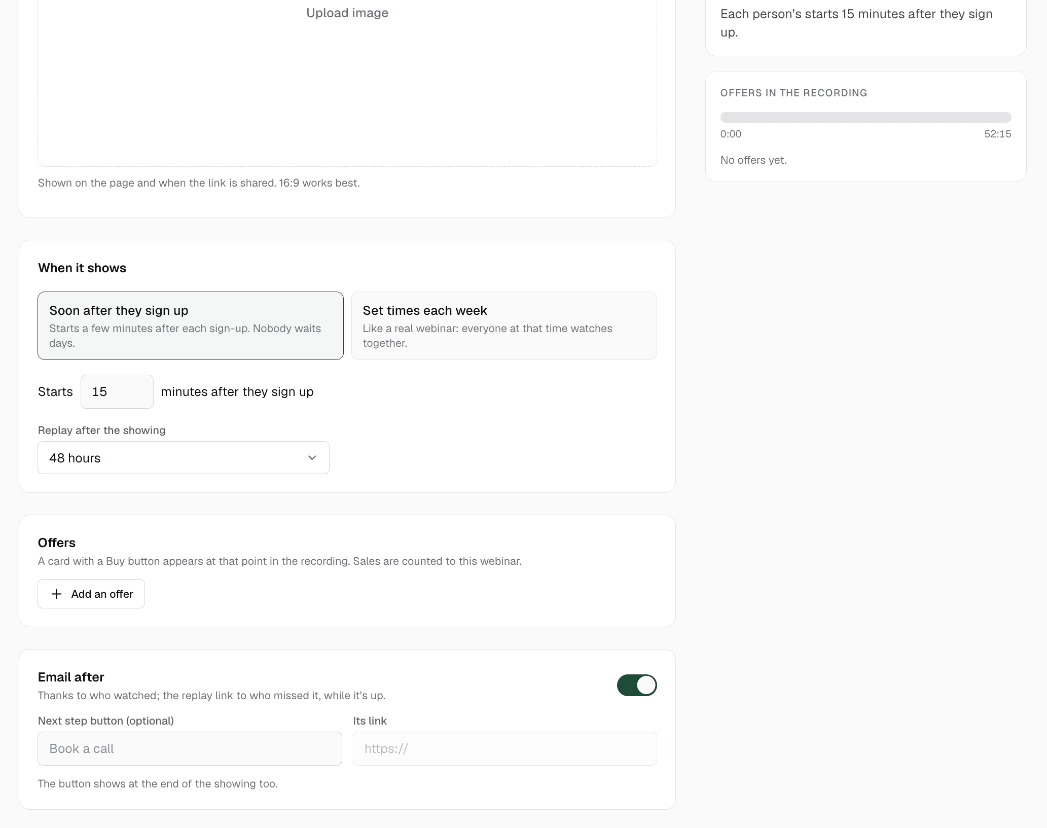 How to run an evergreen webinarTake a session you already ran and let it show again on a schedule, with your offers appearing at the minute you choose in the recording.4 min readKnola Live limits and attendee hoursHow many people can be in a Knola Live session on each level, what an attendee hour is, how many you get, and how to get more.3 min read
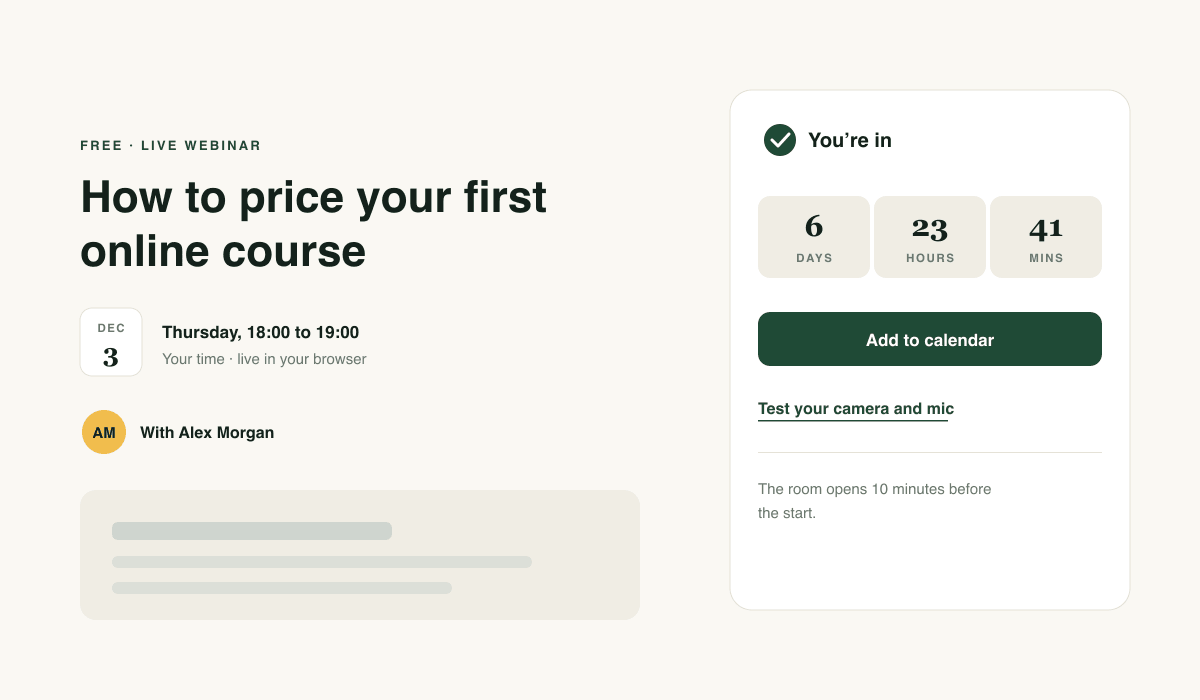 What attendees see and how they joinFollow a live session from your audience's side: signing up, the emails, joining in the browser with nothing to install, and the room itself.4 min read
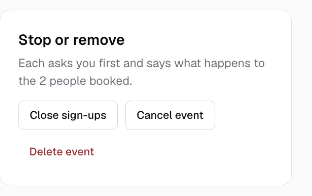 How to cancel or change a live sessionMove a live session to a new time, stop taking sign-ups, cancel it and refund everyone, or delete it, and know what each person is told.3 min read